7 min read · EN
Security & Privacy Basics
What you need to know to use AI responsibly
What you need to know to use AI responsibly — protect your data and your organization.
This Page Covers
- What Happens to Your Data - How AI providers handle your inputs
- Rules for Work Use - What never to paste, what to be careful with
- AI Provider Comparison - Privacy differences between ChatGPT and Claude
- Company Policies - Checking and following organizational guidelines
What Happens to Your Data
When you use AI, your inputs travel through the provider's servers. Understanding this helps you make informed decisions about what to share.
The Basic Reality
| What Happens | Details |
|---|---|
| Data leaves your device | Your prompts go to the AI provider's servers |
| May be used for training | Some plans use your data to improve models (opt-out often available) |
| Saved chats remain stored | Regular chats stay until deleted, subject to workspace policies; temporary chats, training data, feedback and safety or legal retention have separate rules |
| Employees may review | Safety teams may review flagged conversations |
Not Truly Private
Even "private" AI conversations:
- Travel through the provider's infrastructure
- May be logged for security/abuse monitoring
- Could potentially be accessed via legal process
- Are subject to the provider's data policies
The mental model: Treat AI conversations like email to a trusted colleague - probably private, but not guaranteed.
Rules for Work Use
Never Paste
| Category | Examples |
|---|---|
| Credentials | Passwords, API keys, tokens, SSH keys |
| Financial accounts | Bank account numbers, credit card numbers |
| Government IDs | Social security numbers, passport numbers |
| Health records | Medical diagnoses, treatment information |
| Legal documents | Active litigation details, settlement terms |
Be Careful With
These require judgment. Consider whether sharing is appropriate for your situation:
| Category | Risk | Consider |
|---|---|---|
| Customer data | Privacy violations, trust damage | Is sharing approved, and can you remove unnecessary identifying detail? |
| Financial details | Competitive intelligence, insider info | Is it public or confidential? |
| Strategic plans | Competitive leakage | Would a competitor find this valuable? |
| Employee info | Privacy, HR concerns | Do they know you're sharing this? |
| Proprietary code | IP concerns | What does your company policy say? |
Remove Identifiers, Then Assess the Remaining Risk
Replacing names and other details with placeholders is redaction, or pseudonymisation where a person can still be linked using separately held information. It is not proof of anonymisation. Remaining context, such as a role, event or unusual transaction, may still identify someone.
Before:
John Smith at Acme Corp (john.smith@acme.com) owes us $47,500 from Invoice #12345. His phone is 555-0123.
After:
[Customer A] at [Company X] owes us [amount] from [Invoice]. Contact info: [phone].
What to remove:
- Real names → [Name], [Customer A], [Employee 1]
- Company names → [Company X], [Vendor Y]
- Contact info → [email], [phone], [address]
- Specific numbers → [amount], [date], [account number]
Treat the example as redacted or potentially pseudonymised data, not automatically anonymous data. Under GDPR, pseudonymised data remains personal data. Anonymisation requires that the person is no longer identifiable, taking account of means reasonably likely to be used. Keep any re-identification information separate and protected. You still need organisational approval, an approved tool and a lawful basis for sharing personal data; removing names does not provide that approval. If in doubt, use a fictional example instead.
Sources: GDPR Recital 26 and Article 4(5), original EU regulation text.
Check Your Company Policy
Many organizations now have AI usage policies. Before using AI for work:
Questions to Ask
-
Does your company have an AI usage policy?
- Check your employee handbook or intranet
- Ask IT, legal, or your manager
-
What data are you allowed to use with AI?
- Some companies prohibit any customer data
- Others allow anonymized data only
- Some have approved tools with specific guardrails
-
Are there approved AI tools?
- Your company may have enterprise agreements with specific providers
- These often include better privacy protections
- Using approved tools protects both you and the company
-
Do you need to document AI use?
- Some roles require disclosure of AI assistance
- Academic and legal contexts may have specific rules
When There's No Policy
If your company doesn't have an AI policy yet:
- Use common sense about confidential information
- Ask your manager about sensitive use cases
- Document significant AI-assisted work
- Err on the side of caution with client/customer data
AI Provider Comparison
Checked October 2026. Sources: OpenAI's data controls, chat and file retention and business privacy; Anthropic's consumer training policy, consumer retention policy and commercial training policy.
Training permission, saved chat history and deletion are separate controls. Check the account and workspace you actually use, not just the product name.
| Privacy question | ChatGPT personal workspace (Free, Plus, Pro) | Claude consumer account (Free, Pro, Max) |
|---|---|---|
| General model training | Data sharing is enabled by default; turn off "Improve the model for everyone" for new conversations | Chats and coding sessions may be used when you choose to allow model improvement; check your setting rather than assuming a default |
| Saved chats | Regular and archived chats remain until deleted, subject to applicable workspace policies | Chats remain available in history until deleted; turning off training does not delete them |
| After deleting a chat | Scheduled for deletion within 30 days, with de-identification, security and legal exceptions | Removed from history immediately and deleted from back-end storage within 30 days, subject to policy and legal exceptions |
| Additional retention | Temporary chats may be kept for up to 30 days for safety; saved files can have separate retention | With model improvement enabled, de-identified data may be retained for up to 5 years in training pipelines; feedback and flagged content have separate rules |
Key Privacy Differences
ChatGPT (OpenAI):
- Personal Free, Plus and Pro workspaces enable data sharing by default. Turning it off applies to new conversations, not deletion of your history.
- Temporary chats are not used for model improvement while they remain temporary. Saving one makes it a regular chat subject to your settings.
- Business, Enterprise and API inputs and outputs are not used for training by default. Workspace retention and access rules still apply.
Claude (Anthropic):
- The consumer policy makes general model improvement conditional on your choice. Check the model improvement control in Privacy settings.
- Turning model improvement off prevents previous and new chats or coding sessions from being used for future training, but does not undo training already completed or in progress.
- The up-to-5-year training-pipeline period is not the same as chat-history storage. Opting out does not turn all stored chats into a 30-day expiry.
- Claude for Work and API content is not used for training by default, with exceptions for feedback or explicit permission.
Feedback rules depend on the account: on ChatGPT personal Free, Plus and Pro plans, response feedback can allow the associated conversation to be used for training even after opting out. On ChatGPT Business/Enterprise, response feedback alone does not permit training; a separate organisational agreement is required. See OpenAI's account-specific feedback rules. Anthropic's commercial policy allows training on submitted feedback or explicitly permitted content, including on Claude Team/Enterprise. Anthropic also documents safety-review use and longer retention for flagged content. No-training is not zero retention or a guarantee of confidentiality.
How to Opt Out of Training
ChatGPT:
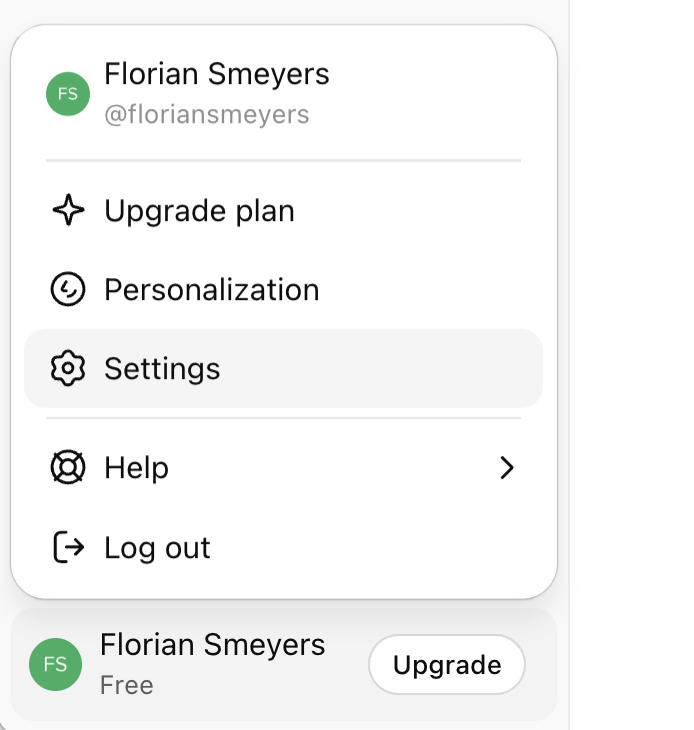
- Open your account menu → Settings. The screenshots below are illustrative; menu placement can change.
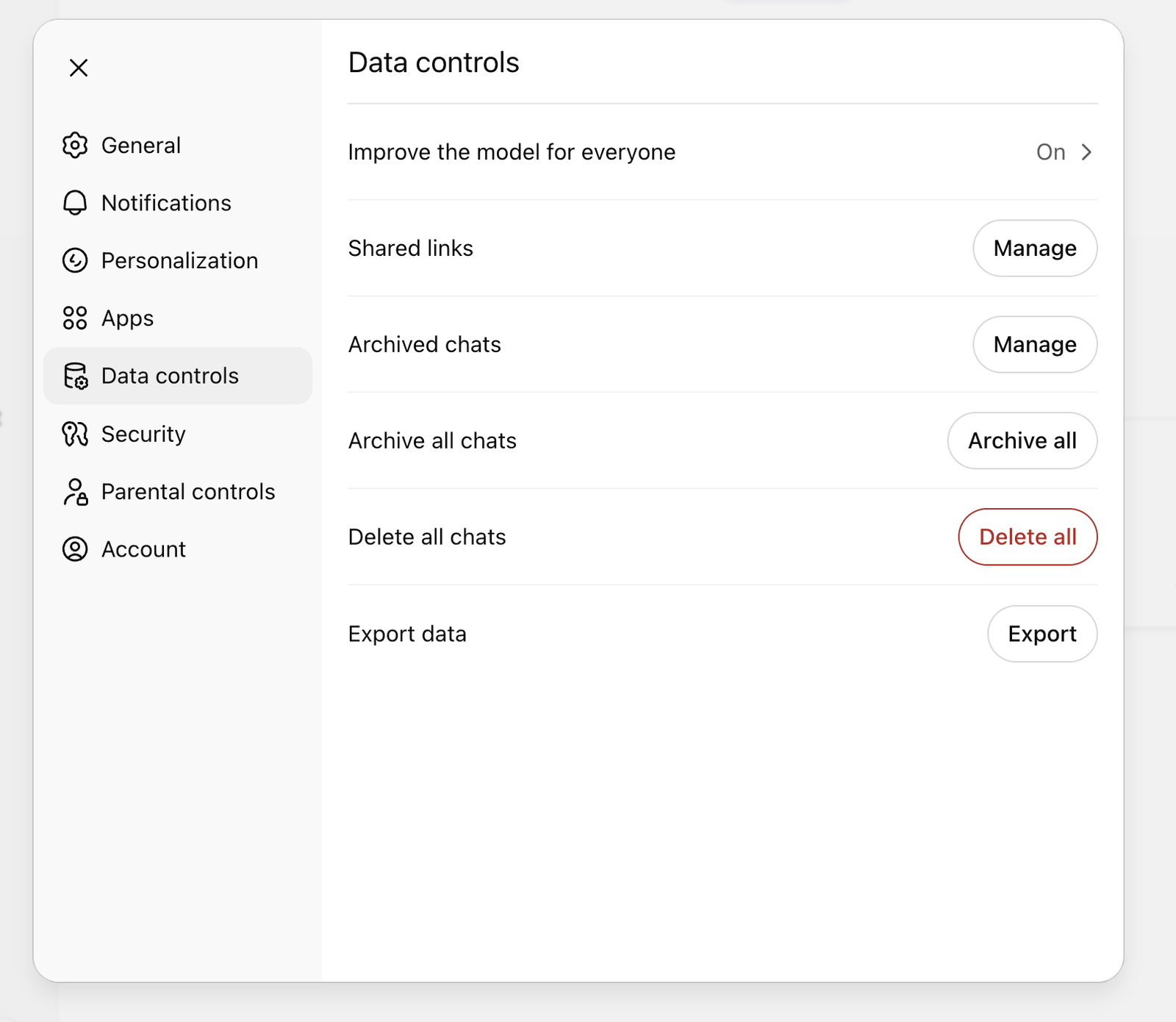
- Go to "Data controls"
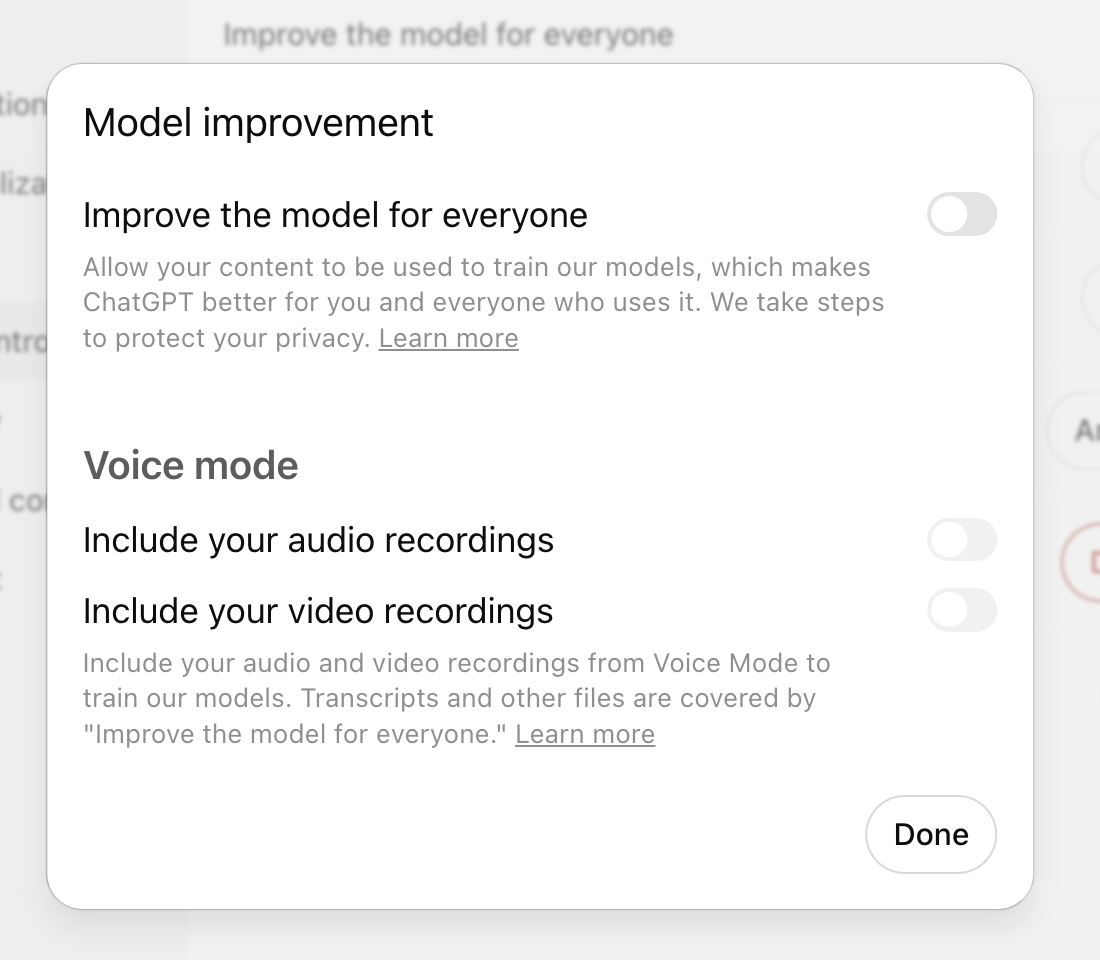
- Toggle "Improve the model for everyone" off
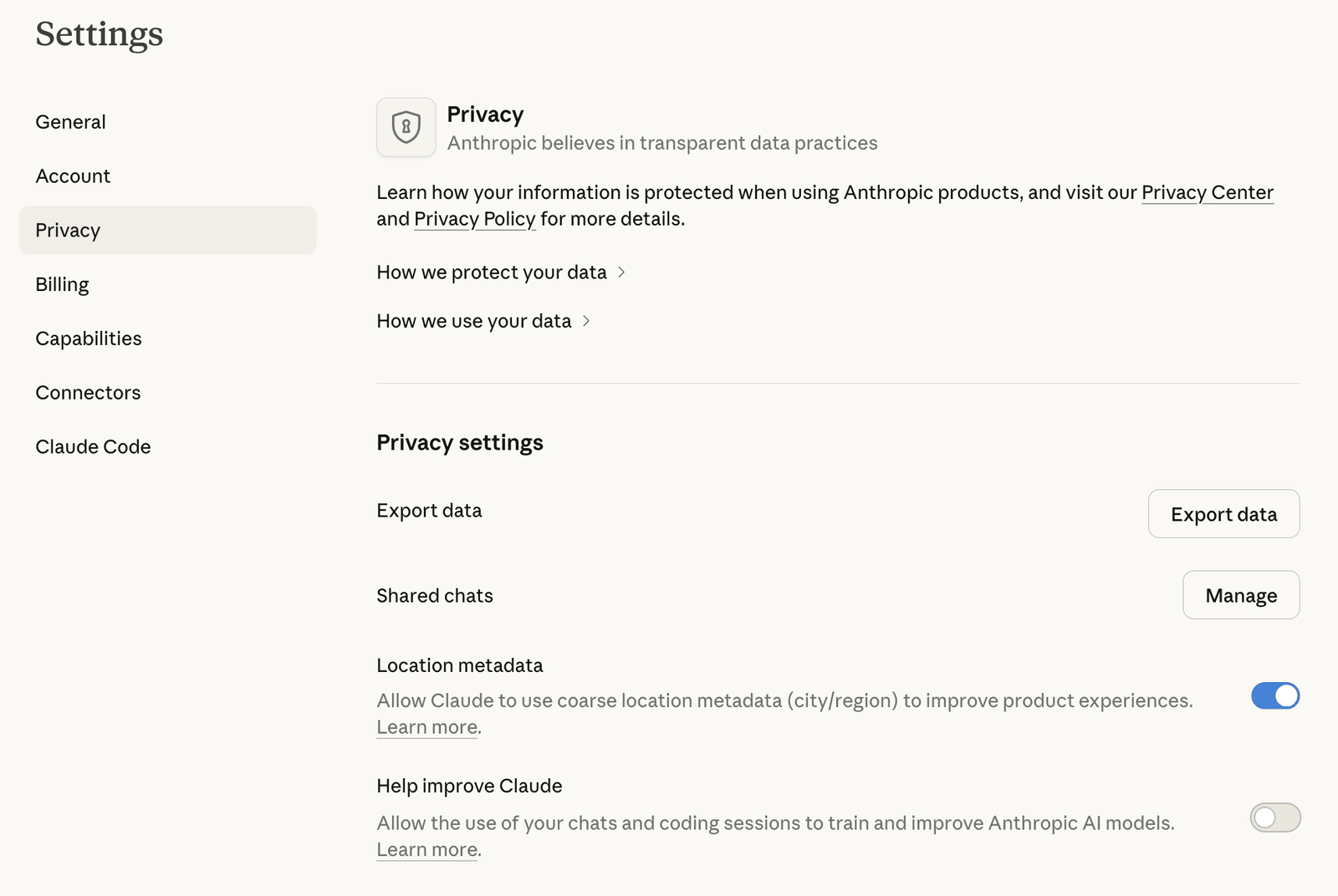
Claude:
- Open Settings → Privacy. The screenshots below are illustrative; labels can change.
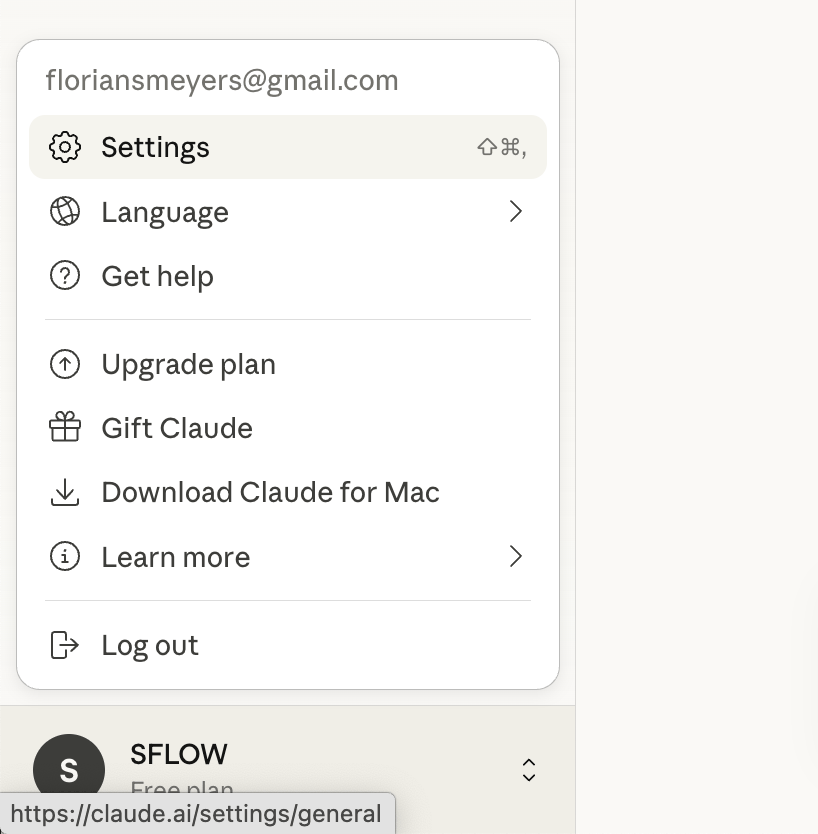
- Find the model improvement control
- Toggle it off
Key Takeaways
- Data leaves your device - AI conversations travel through provider servers; treat them accordingly
- Never paste credentials or PII - Passwords, API keys, SSNs, and similar data should never go into AI
- Placeholders are not anonymisation - Redact unnecessary details, assess identification from remaining context, and obtain organisational approval before sharing
- Check your company policy - Many organizations have AI usage guidelines; follow them
- Check training and retention separately - Disable model improvement if needed, but also review saved history, deletion, feedback and workspace policies
- When in doubt, don't paste it - If you'd worry about a data breach exposing it, don't share it with AI
Want to discuss a project like this?
SFLOW helps companies implement practical AI solutions — from custom platforms to industrial integrations with your existing systems.