
From Stock Index to Sales Pipeline: How AI Agents Built a Marketing Operation in One Session
Researching companies, finding the right contacts, writing personalized outreach — this is the grind of B2B marketing. Multiply that across three European stock indices and ninety companies, and you are looking at weeks of manual work.
We did it in one VS Code session. Using Claude Code with parallel AI agents, MCP servers, and browser automation, we went from "get me the BEL-20 companies" to a deployed CRM with personalized outreach emails for ninety companies across Belgium, the Netherlands, and France — without leaving the terminal.
Every screenshot below comes from a single continuous session. This is not a concept or a mockup. It is a real workflow that produced real output.
Step 1: Build the Prospect List
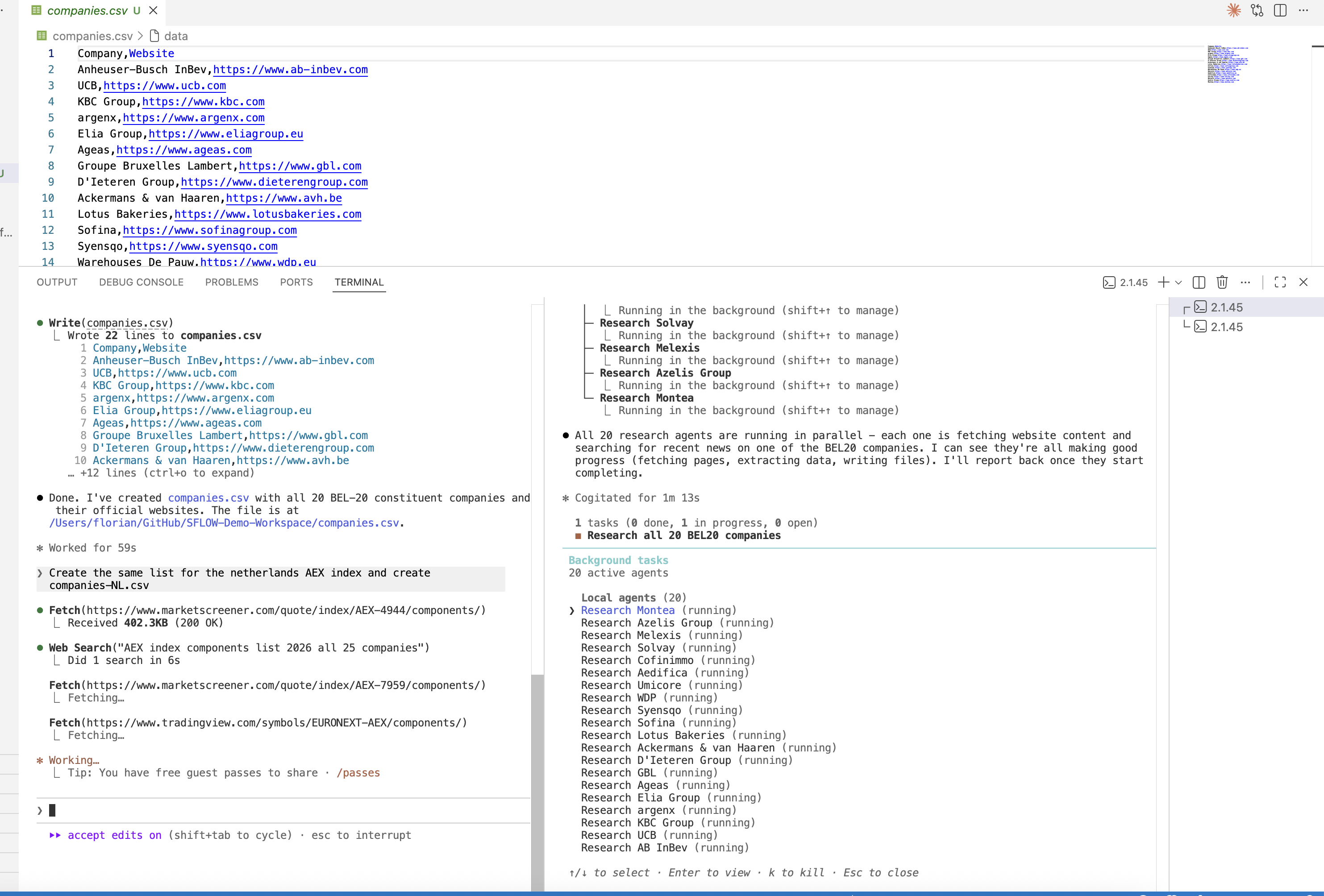
We start with a simple instruction: get a list of all BEL-20 companies with their websites and put them into a CSV.
Claude Code runs web searches, looks up each company's official website, and writes the results to companies.csv — twenty Belgian blue-chip companies with verified URLs, ready to use.
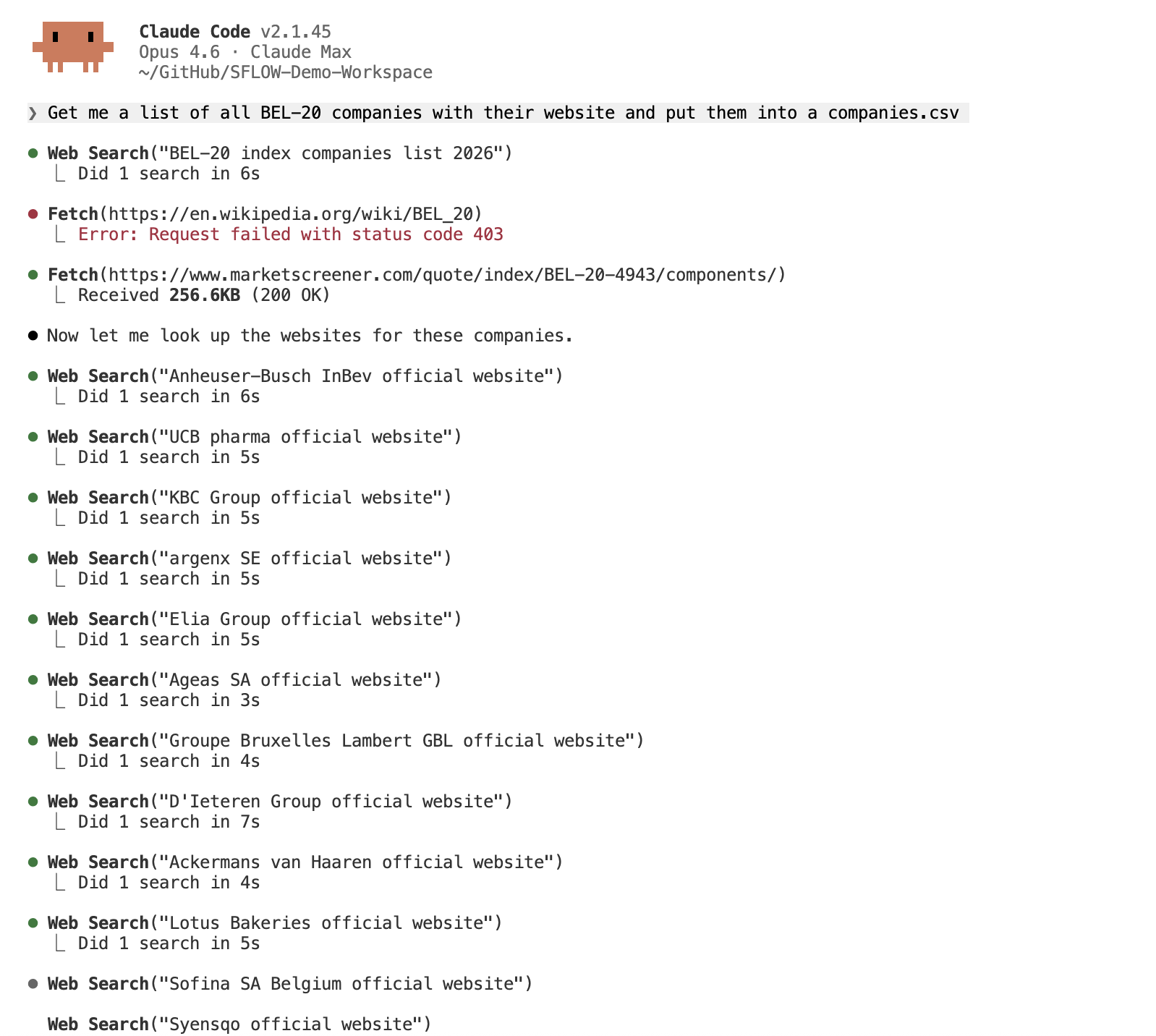
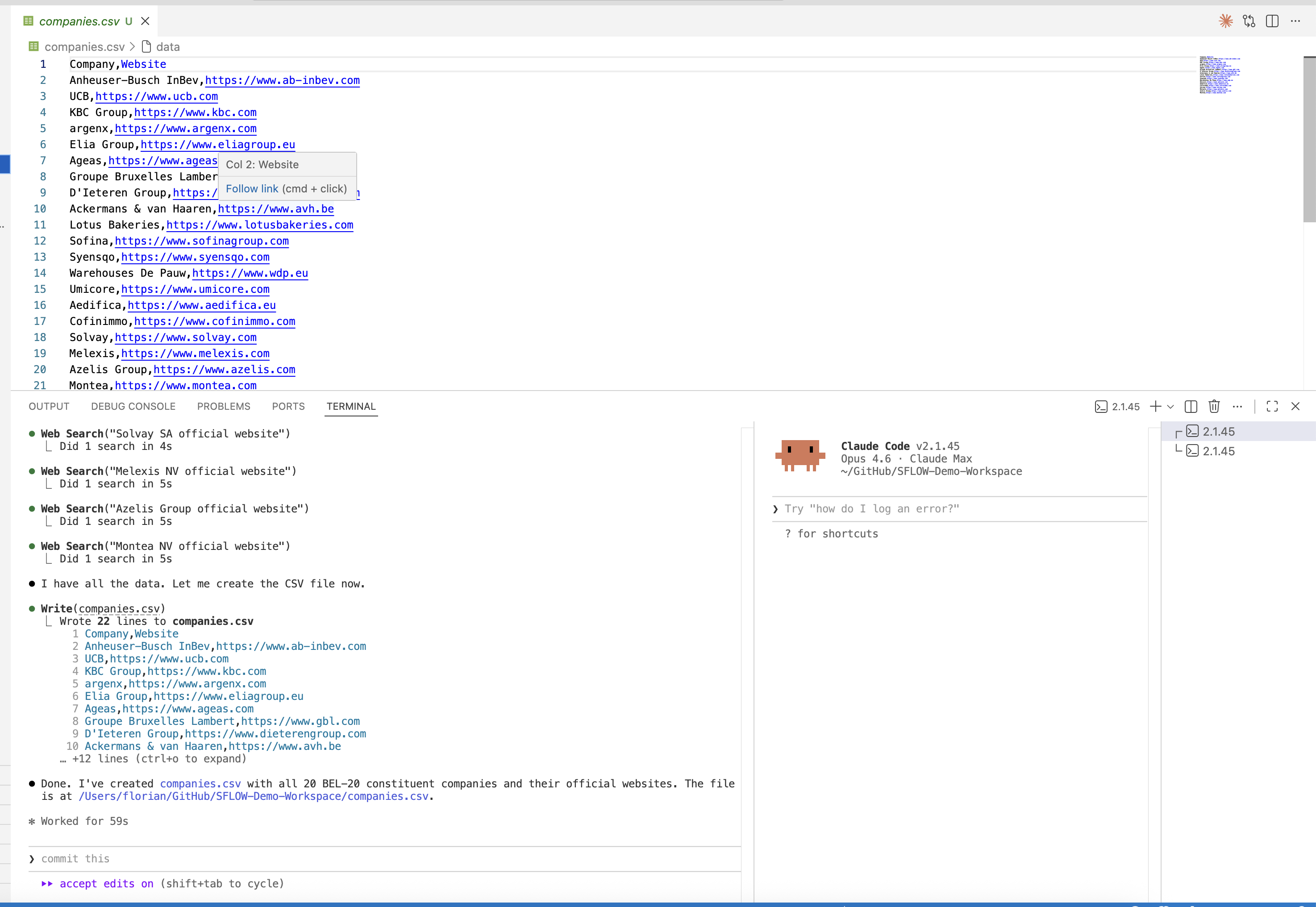
The entire list is built in under a minute. No copy-pasting from stock exchange websites, no manual data entry.
Step 2: Research at Scale with Parallel Agents
Now the real power shows. We give the agent a research brief:
For all companies in companies.csv — check the following and use Playwright wherever necessary:
- Latest blog posts/news from their site
- Team/Contact Details
- Main operations (country, etc.)

Put your research per company in a folder /companies/ and then companyname.md. Use subagents wherever useful.
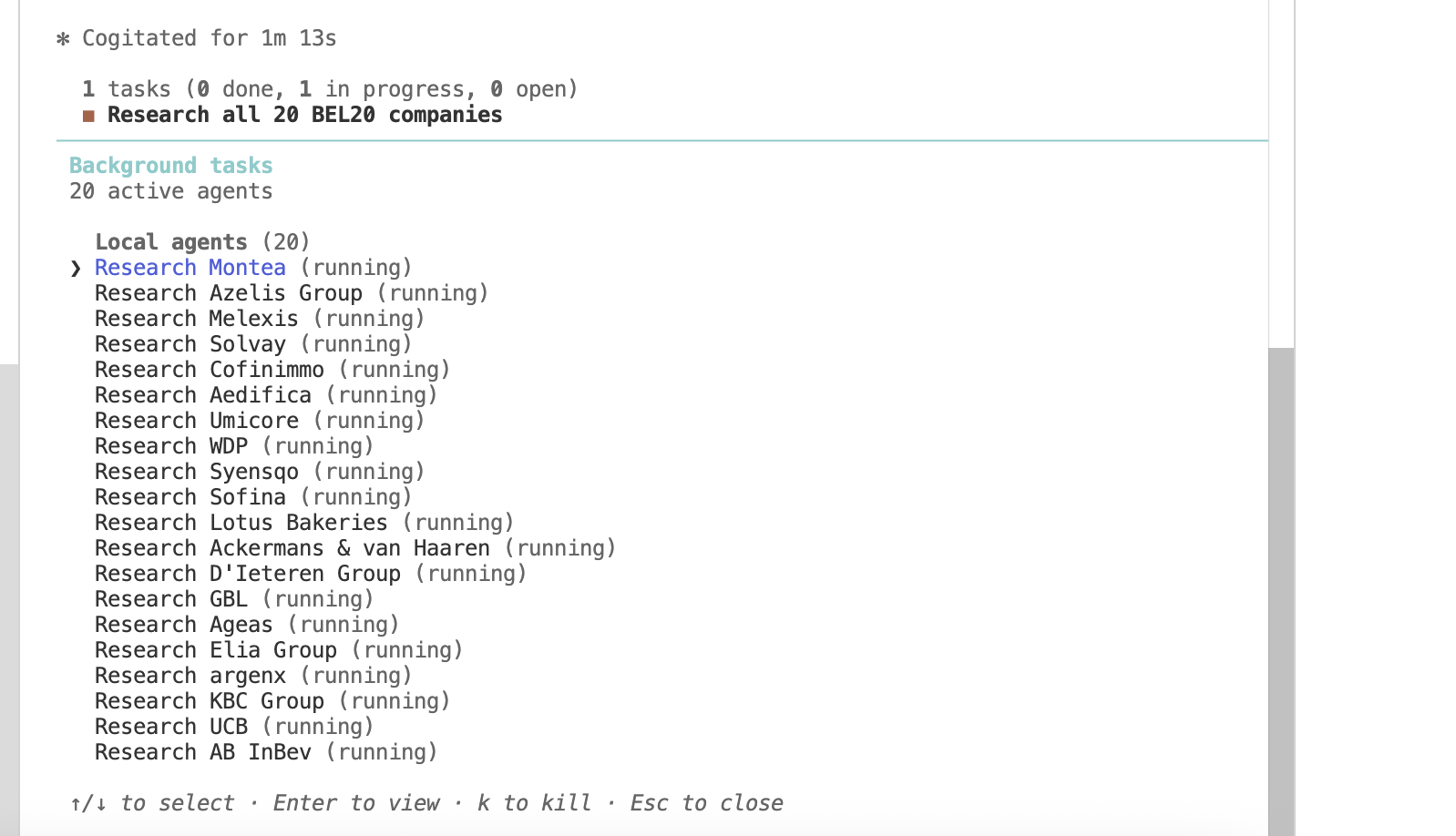
The agent reads the CSV, plans the work, and launches twenty subagents — one per company — all running simultaneously.
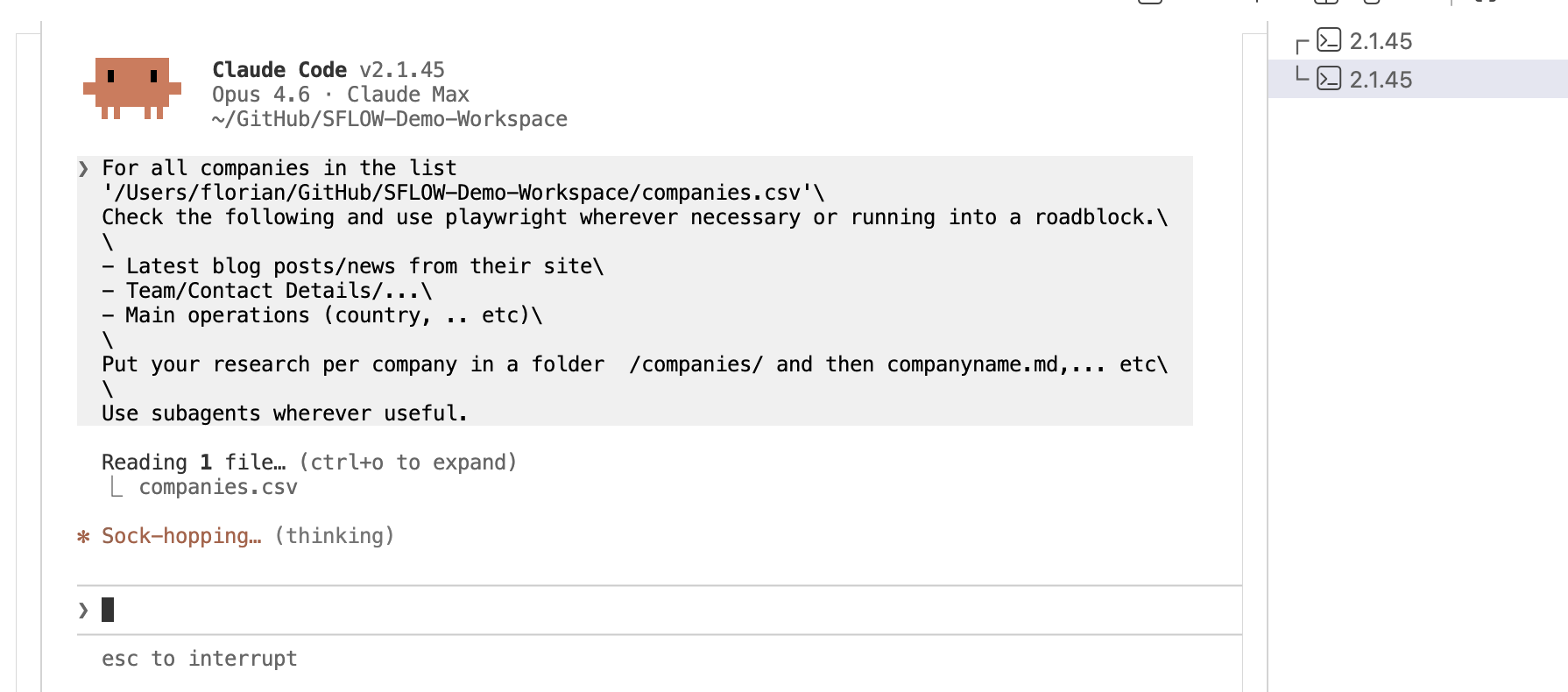
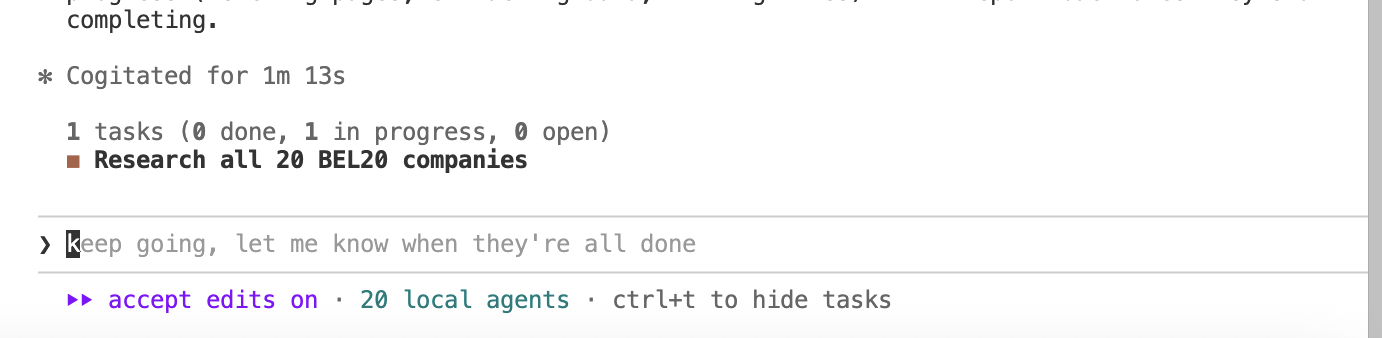
Twenty background agents appear in the agent panel, each researching a different company. They are fetching website content, searching for recent news, extracting team pages, and writing structured markdown profiles — all in parallel.
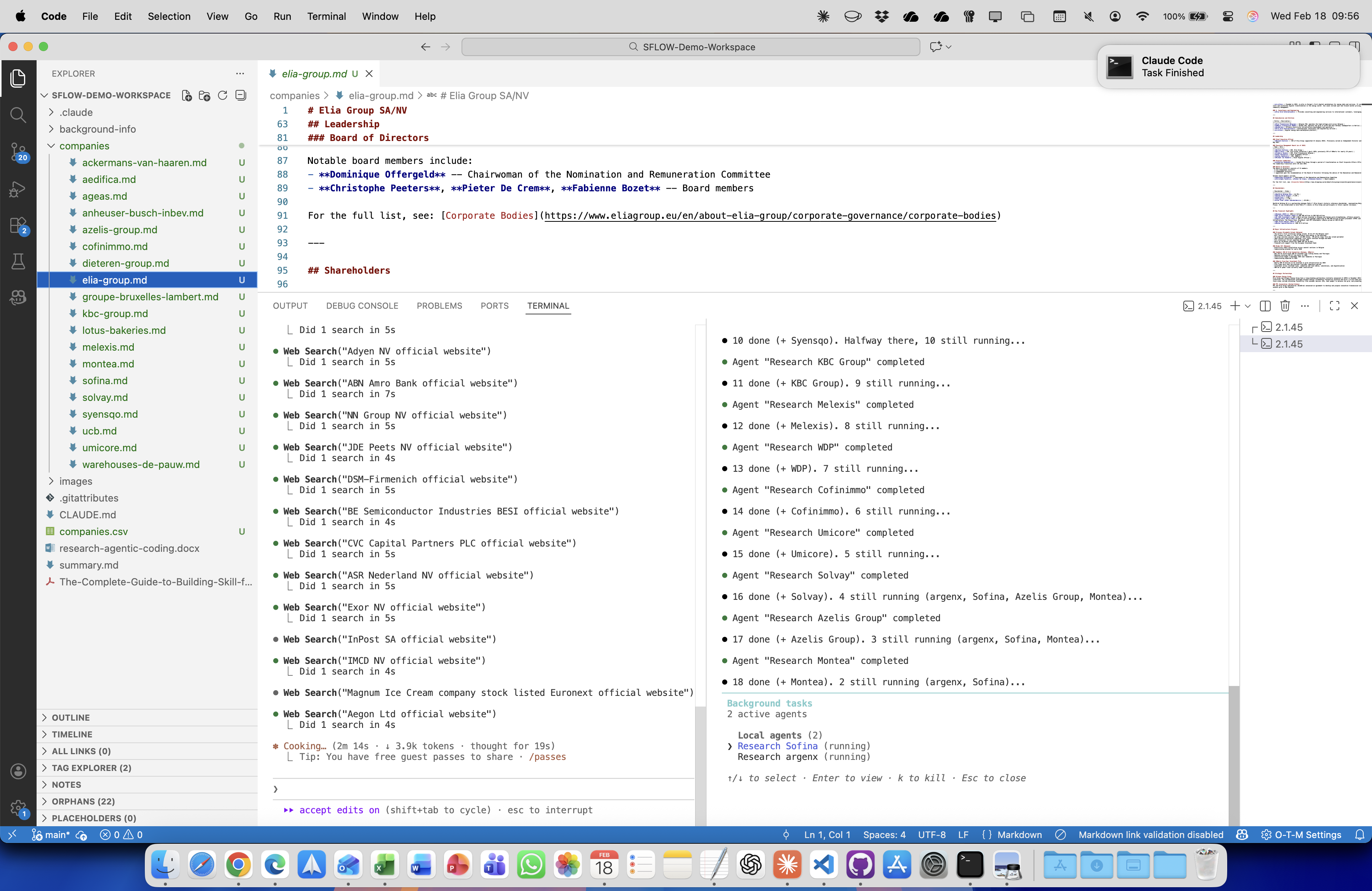
As agents complete, per-company markdown files appear in the file tree. Each profile contains leadership information, recent news, sustainability initiatives, key contacts, and business operations — structured and ready to use.
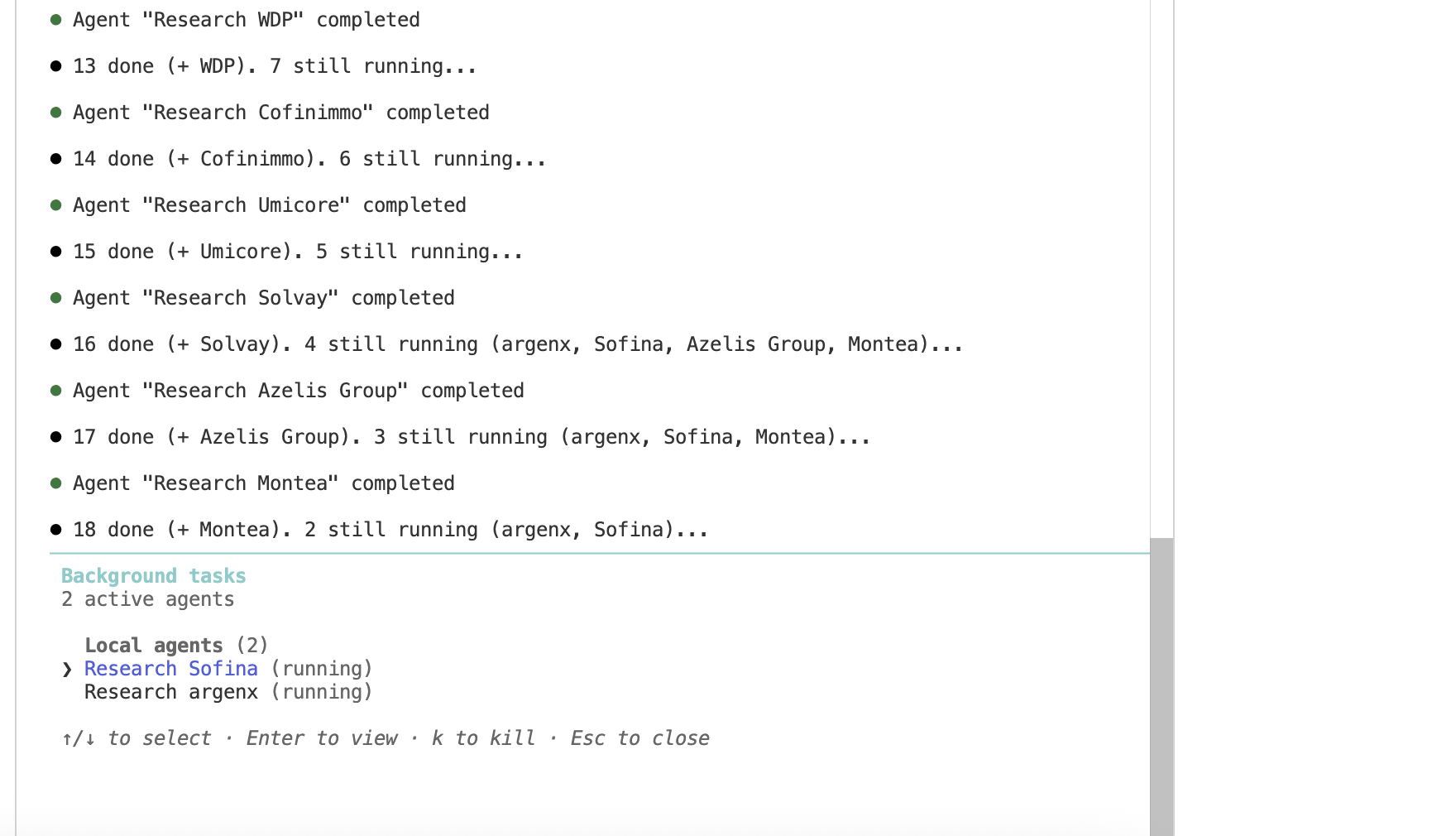
All twenty companies researched in parallel in under four minutes. The same work done manually — visiting each company's website, finding contacts, summarizing their business — would take a full day.
Step 3: Scale Across Markets
With the BEL-20 done, we scale to the Netherlands. Same workflow: the agent builds the AEX constituent list (30 companies since the September 2025 expansion), creates companies-NL.csv, and launches another batch of parallel research agents.
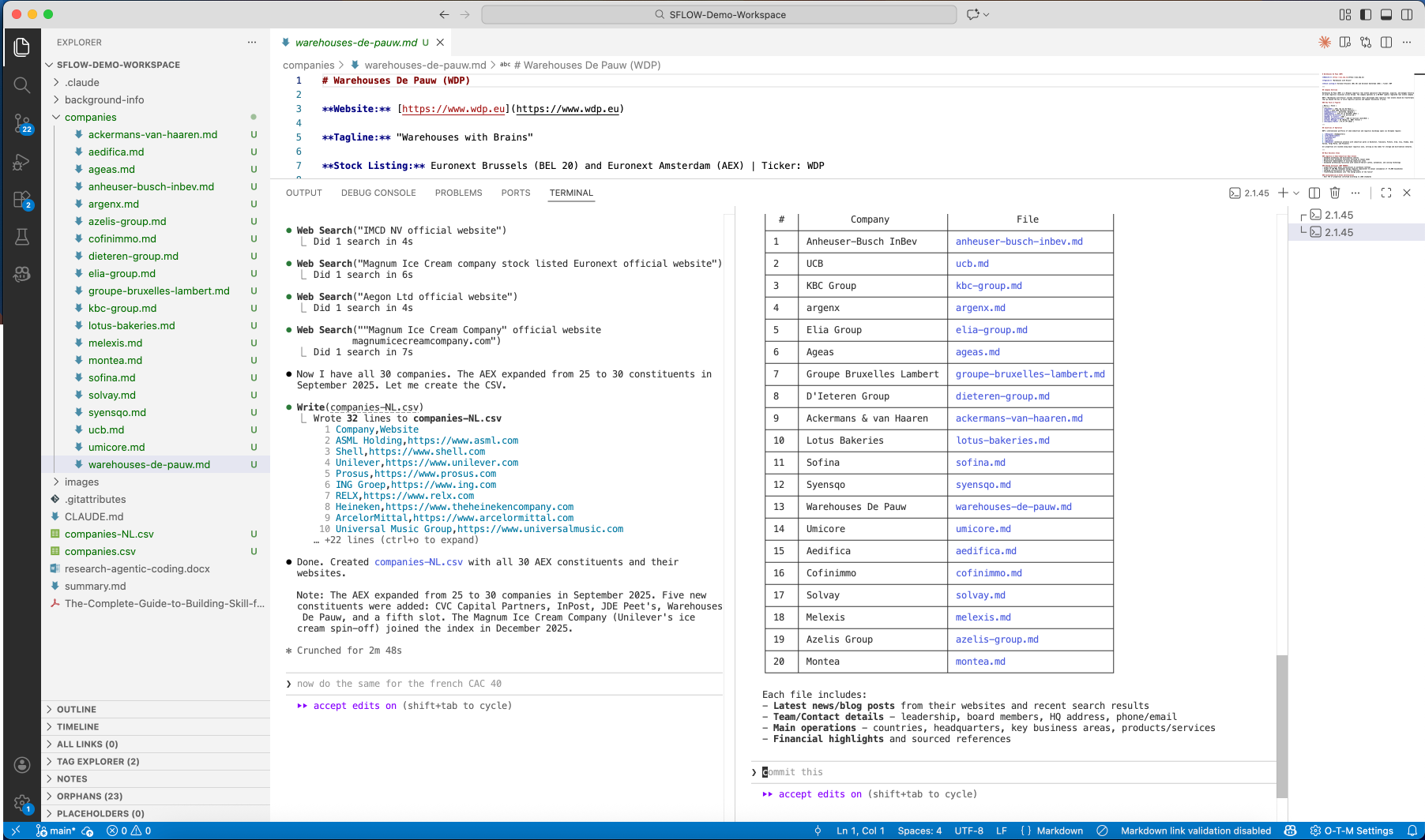
Then France. One sentence — "now do the same for the french CAC 40" — and the agent starts building the CAC 40 prospect list and researching forty more companies.
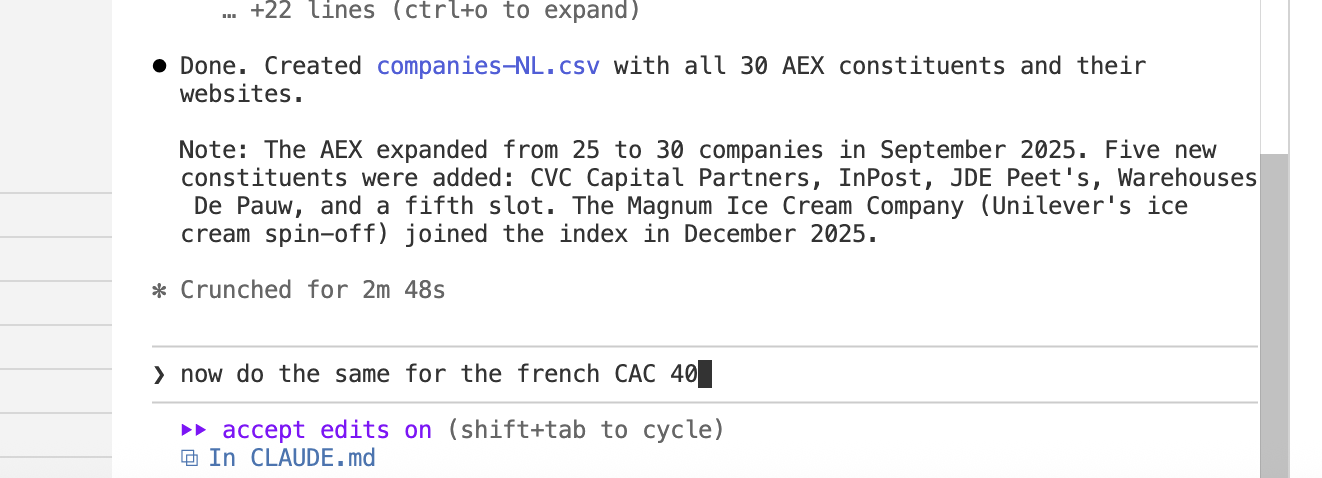
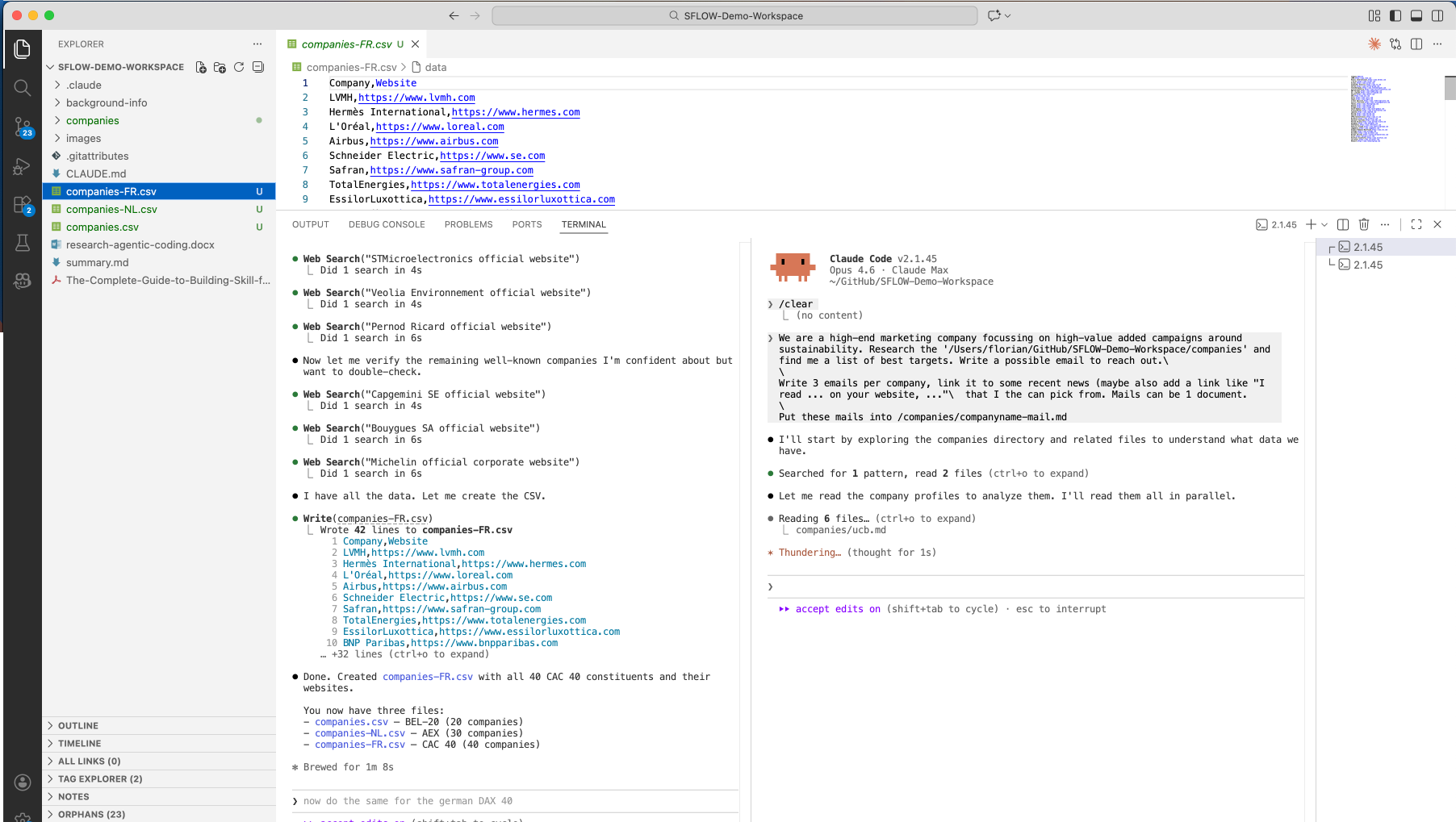
Three stock indices. Ninety companies. Each with a detailed research profile. The entire research phase took under fifteen minutes.
Step 4: Generate Personalized Outreach
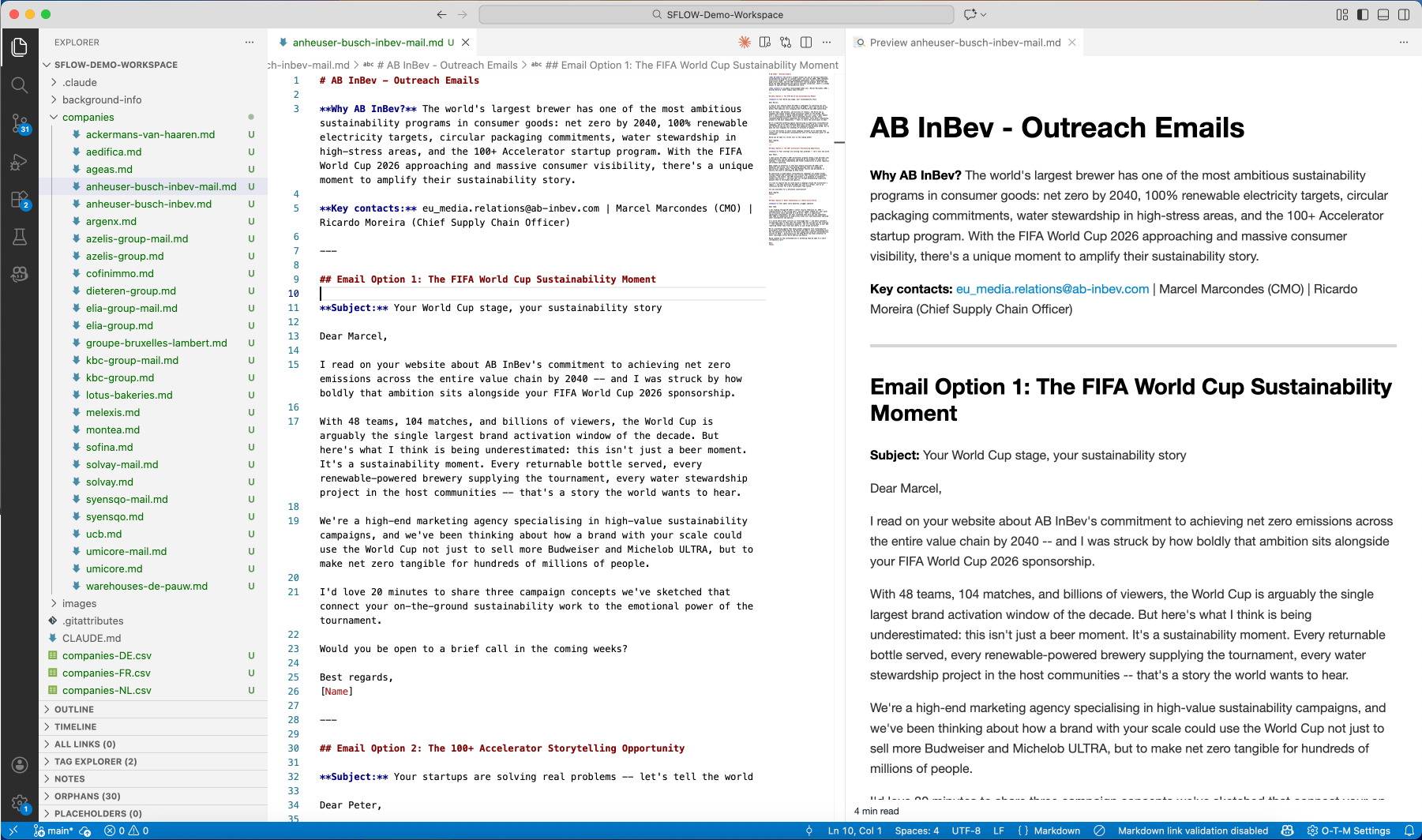
With ninety company profiles in hand, we ask the agent to generate personalized outreach emails. The agent reads each company's research profile and crafts targeted emails that reference specific achievements, sustainability commitments, and key contacts.
For AB InBev, the agent identifies their FIFA World Cup sustainability moment and their commitment to achieving net zero emissions across the entire value chain by 2040 — and writes outreach around it. It finds the right contacts: Marcel Marcondes (CMO) and Ricardo Moreira (Chief Supply Chain Officer).
For KBC Group, the agent references their four consecutive years on the CDP Climate A List, their EUR 1 billion quarterly net profit, and their Internal Sustainability Board — targeting Johan Thijs (CEO) and Erik Luts (Chief Innovation Officer).
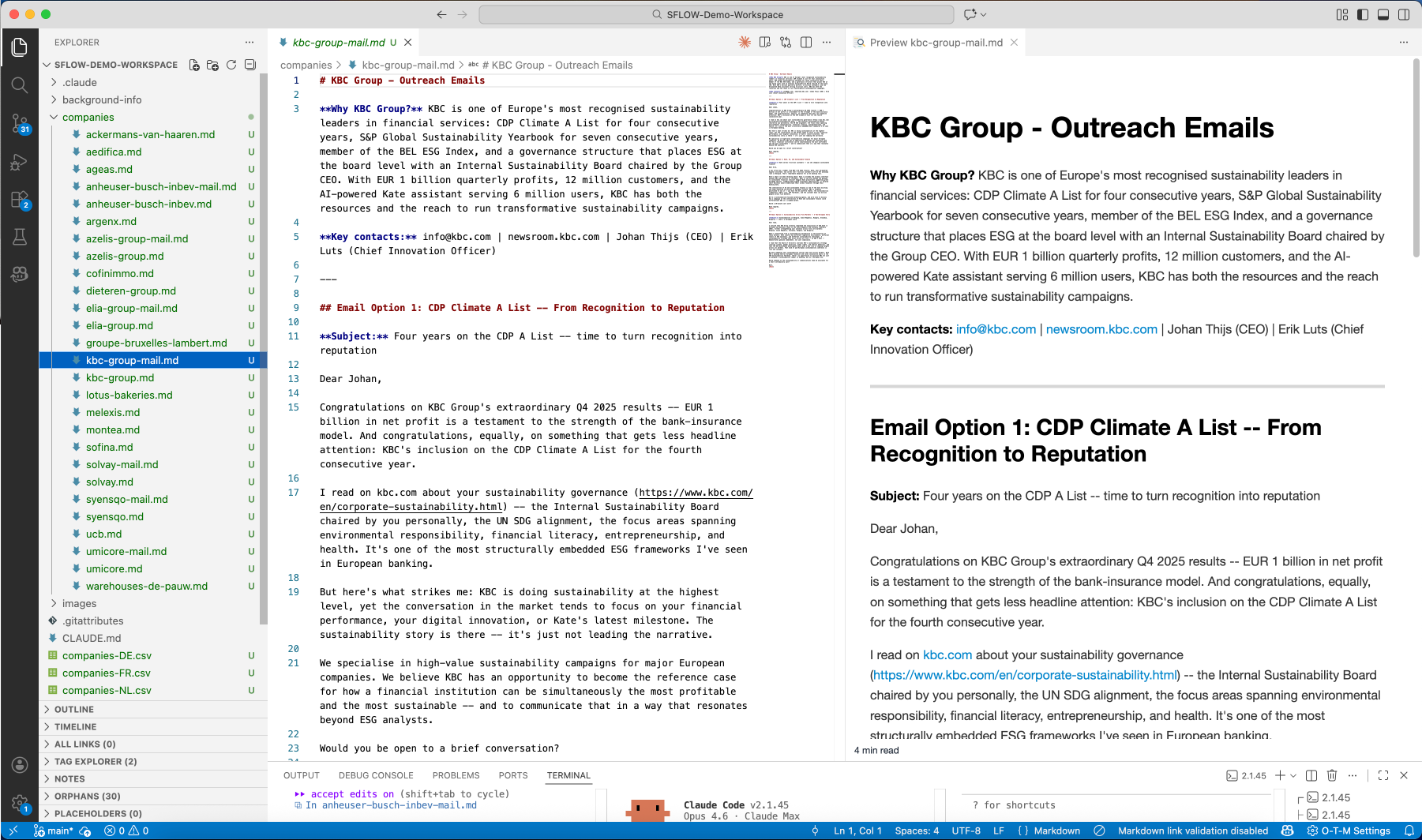
These are not generic templates. Each email is built from the company's actual research profile — referencing specific data points, recent achievements, and named decision-makers. The agent produces multiple email options per company, each with a different angle.
Step 5: Build a CRM on the Fly
Ninety companies, research profiles, and outreach emails — but the data lives in flat files. We need a proper system to manage it. So we ask the agent to build one:
Build me a new "Sustainability-CRM" server that I can use to save my new prospects in the CSV-files. Companyname, etc. but also save status wherever necessary. Create a new workspace "Marketing" for this and give the demo account access to it. Also upload all our information we found to the CRM.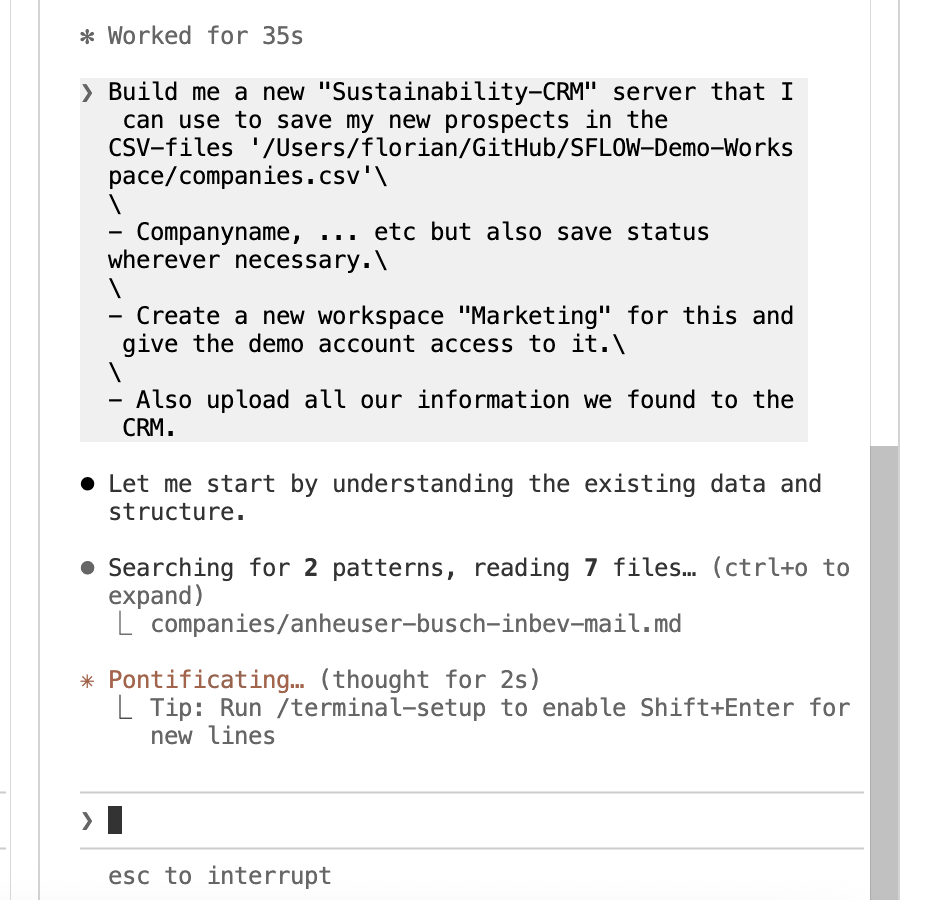
The agent builds a custom MCP server — a Sustainability-CRM — that stores all the prospect data with company details, contact information, research findings, and outreach status. It creates a "Marketing" workspace in SFLOW Agent and uploads everything.
Step 6: Deploy to SFLOW Agent
What started as a local VS Code session is now live infrastructure. The SFLOW Agent "Marketing" workspace has the sustainability-crm and email servers connected, and the data is immediately queryable.
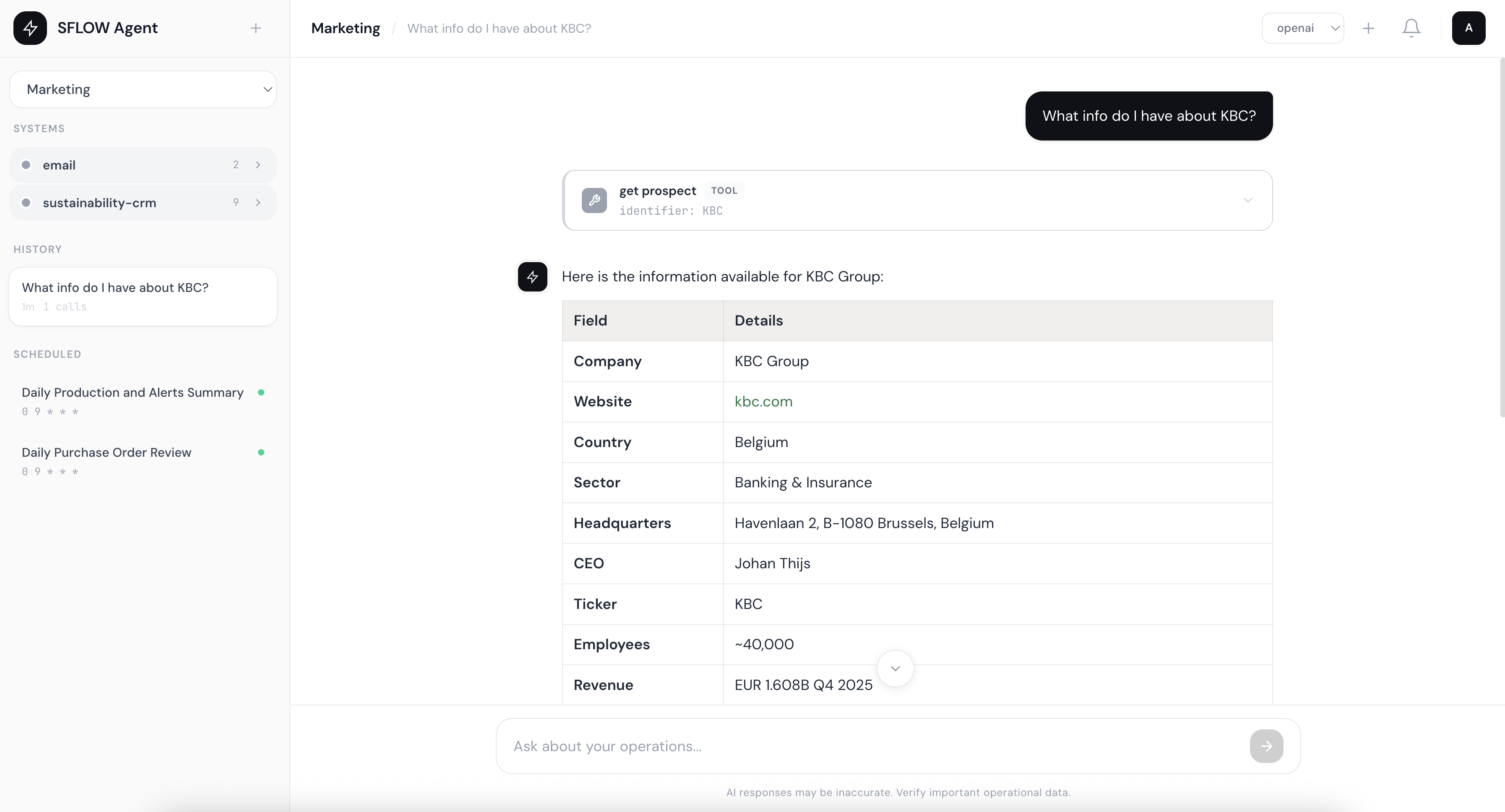
Ask "What info do I have about KBC?" and SFLOW Agent calls the CRM's get prospect tool, returning structured data: sector (Banking & Insurance), headquarters (Havenlaan 2, Brussels), CEO (Johan Thijs), 40,000 employees, EUR 1.608B Q4 2025 revenue.
This is not a one-time export. The Marketing workspace is a persistent operational environment:
- Scheduled research jobs — re-scan companies weekly for news, leadership changes, or sustainability announcements. When something changes, it shows up in the CRM automatically.
- Interactive chat with CRM data — anyone with workspace access can ask questions about prospects: "which companies have the highest revenue?", "who did we contact last week?", "show me all French companies in the energy sector."
- Outreach through the email server — send personalized emails directly from the workspace, with tracking and status updates in the CRM.
- Workspace isolation — the Marketing workspace is separate from other operations. Marketing tools and data do not leak into engineering or operations workspaces.
What started as a one-time VS Code session is now a persistent marketing operation — with its own workspace, tools, and data, running on your own infrastructure.
For technical depth on the platform that makes this possible, see From Chat to Autopilot: Building a Claude Runner for Autonomous AI Tasks.
What Made This Possible
This workflow relies on four capabilities working together inside VS Code:
Terminal AI agents — Claude Code runs in the VS Code terminal with full filesystem access. It reads CSVs, writes markdown files, creates directories, and manages the entire workflow through natural language.
Subagent parallelism — instead of researching companies one by one, the agent spawns twenty background subagents that work simultaneously. This is the difference between fifteen minutes and an entire day.
MCP servers — the agent connects to external systems through the Model Context Protocol. In this session, Playwright handles web browsing, SFLOW-RUNNER manages the deployment to SFLOW Agent, and the custom Sustainability-CRM server stores prospect data. The /mcp command shows all nine connected servers.
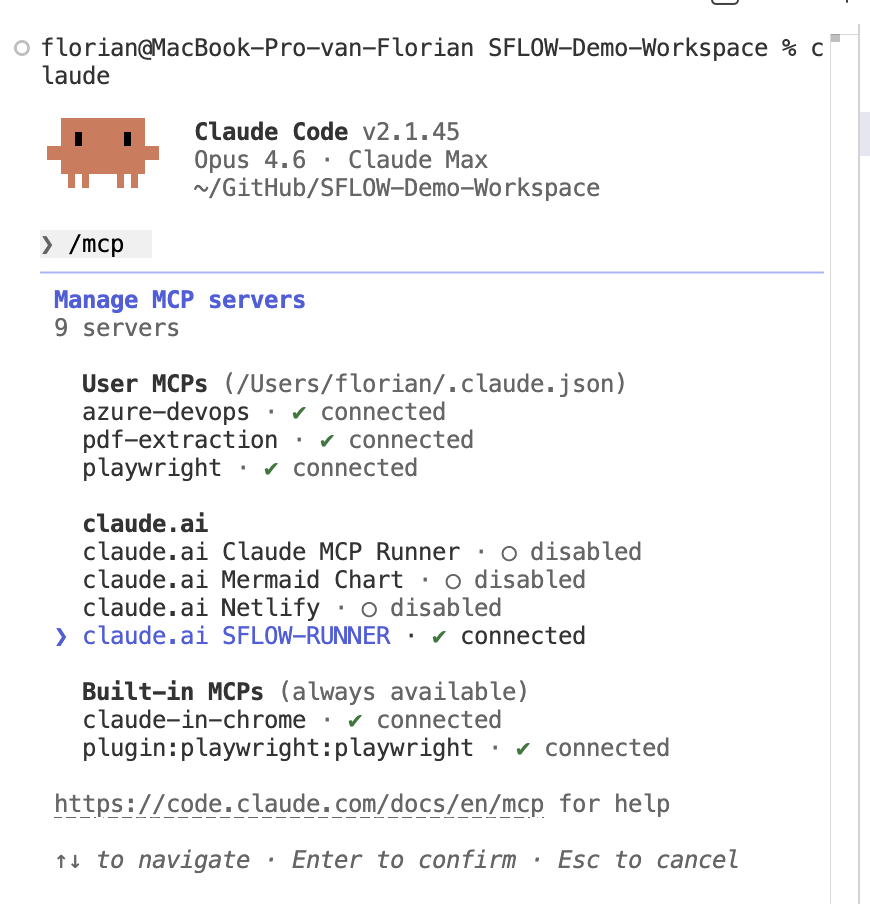
The VS Code environment — the file explorer shows the growing research library, the terminal shows agent progress, the agent panel tracks all twenty parallel workers, and Git tracks every change. No other tool combines all of these in one window.
For a full breakdown of the VS Code AI workbench approach — including setup instructions, multi-model strategies, and the business case for leadership — see Why VS Code Is Probably the Only AI Workbench Your Company Needs.
Want to build workflows like this?
Our AI-Enabled Builder course covers the technical foundations — from terminal AI agents and MCP servers to multi-agent orchestration. The Claude Code Workflows specialization goes deeper on the specific techniques shown in this article.
The tools that made this session possible — Claude Code, MCP servers, VS Code — are available today. The techniques are not experimental. We use them in production for client work at SFLOW.
If you want to explore what this approach could do for your organization's marketing, sales, or research workflows — get in touch.