4 min read · EN
Analyzing Documents & Data
Where AI becomes genuinely useful for knowledge work
Where AI becomes genuinely useful for knowledge work — extract insights instead of reading page by page.
This Page Covers
- Document Analysis - Summarizing, extracting, comparing documents
- Data Analysis - Finding patterns, generating insights from spreadsheets
- Practical Examples - Contract review, proposal comparison, sales data
- Limitations - What AI can miss and when to verify
Document Analysis
This is where AI becomes genuinely useful for knowledge work. Instead of reading a 50-page report to find key information, you can ask AI to extract exactly what you need.
What Works Well
| Task | How AI Helps |
|---|---|
| Summarizing | Condense long documents into key points |
| Extracting | Pull specific information (dates, names, figures) |
| Comparing | Analyze differences between multiple documents |
| Finding patterns | Identify themes, inconsistencies, or trends |
| Generating questions | Suggest what to ask or investigate further |
How to Do It
Step 1: Upload the document
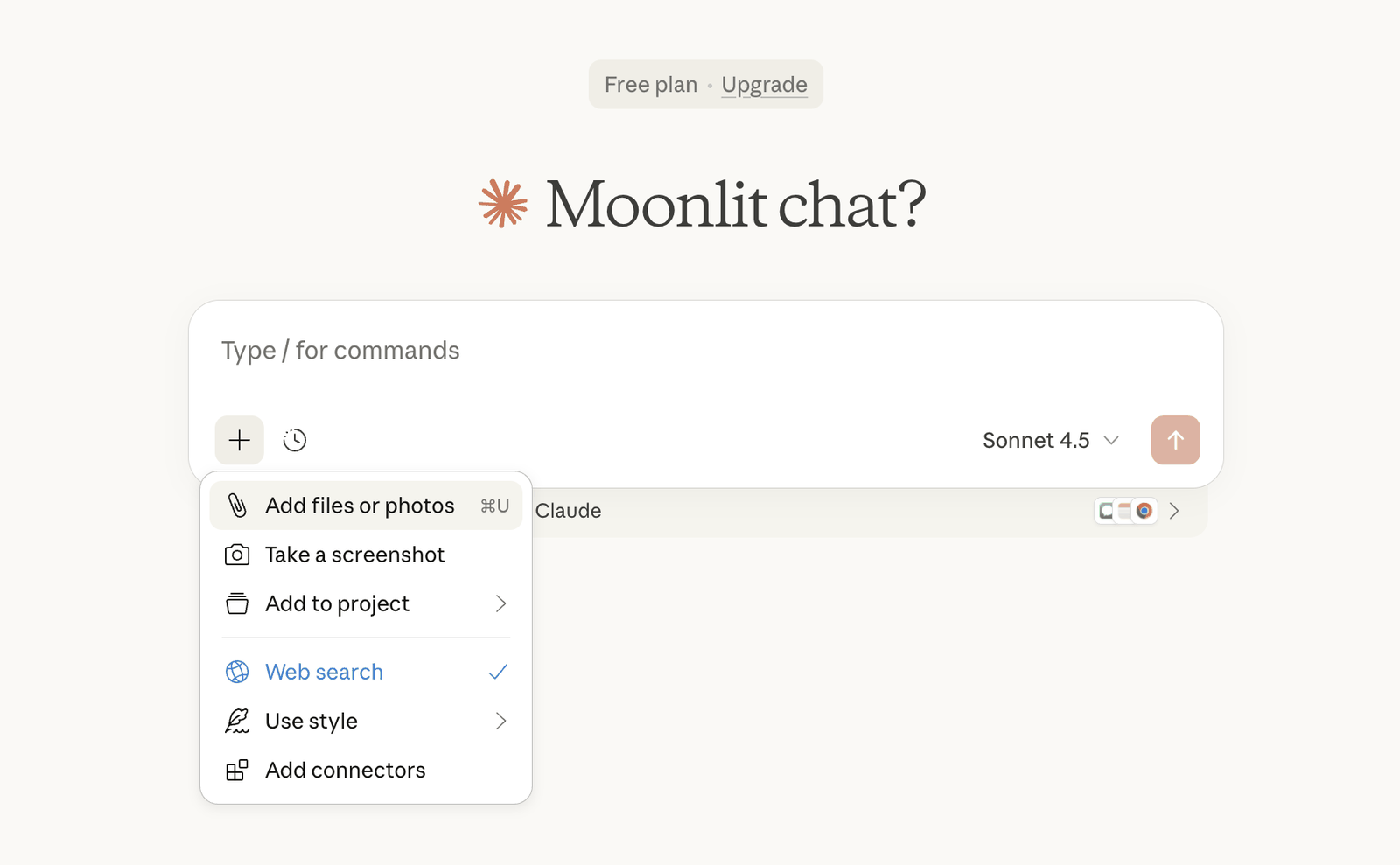
Claude
- Drag the file into Claude or click the attachment icon
- Supported formats: PDF, Word, text files, and more
- Large files may take a moment to process
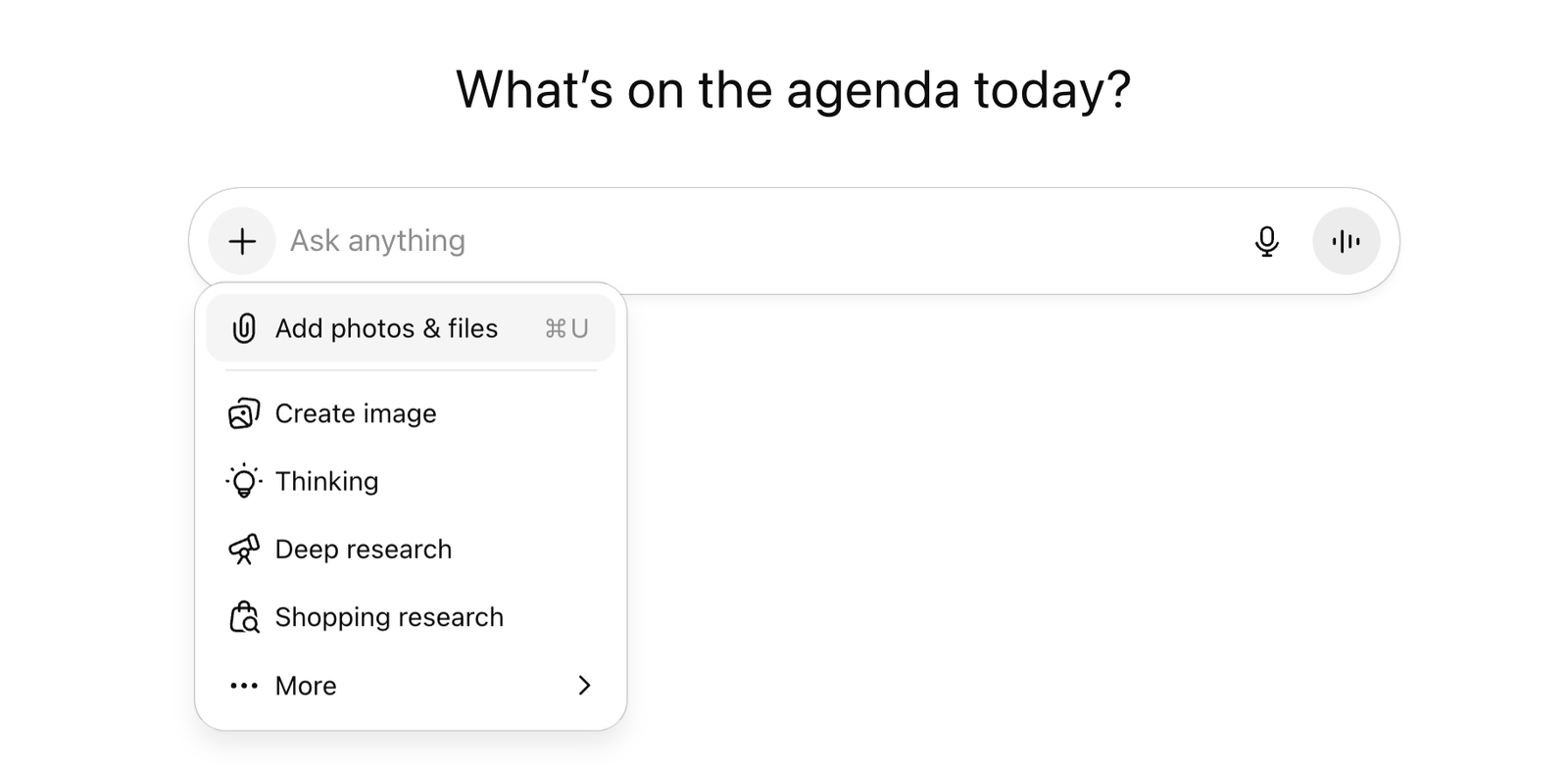
ChatGPT
- Click the attachment/paperclip icon or drag files into the chat
- Supported formats: PDF, Word, images, spreadsheets, and more
- Large files may take a moment to process
Step 2: Be specific about what you want
- Don't just say "summarize this"
- Tell the AI what matters to you and why
Step 3: Ask follow-up questions
- Dig deeper into specific sections
- Ask for clarification on confusing parts
- Request different formats or perspectives
Example: Contract Analysis
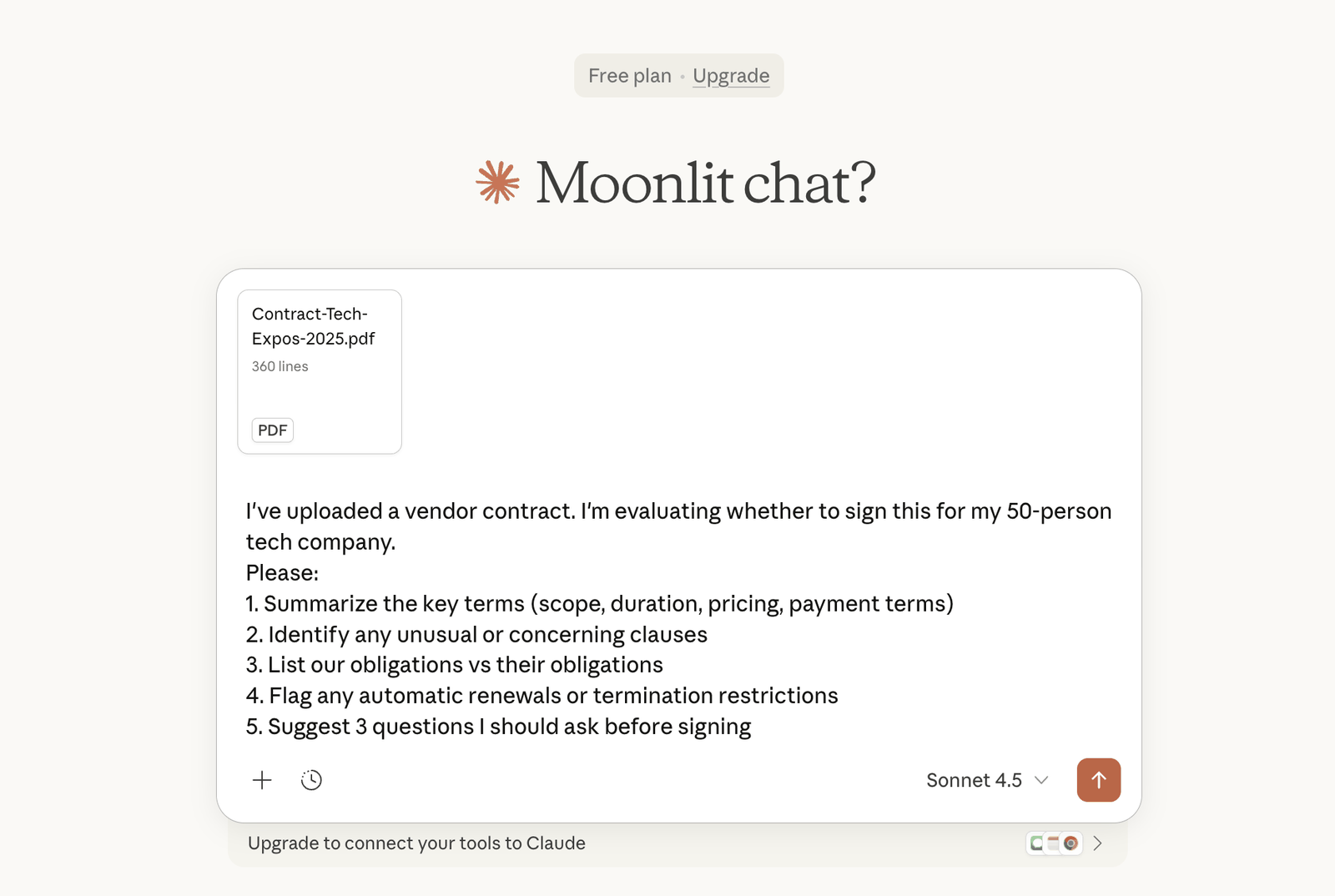
Prompt:
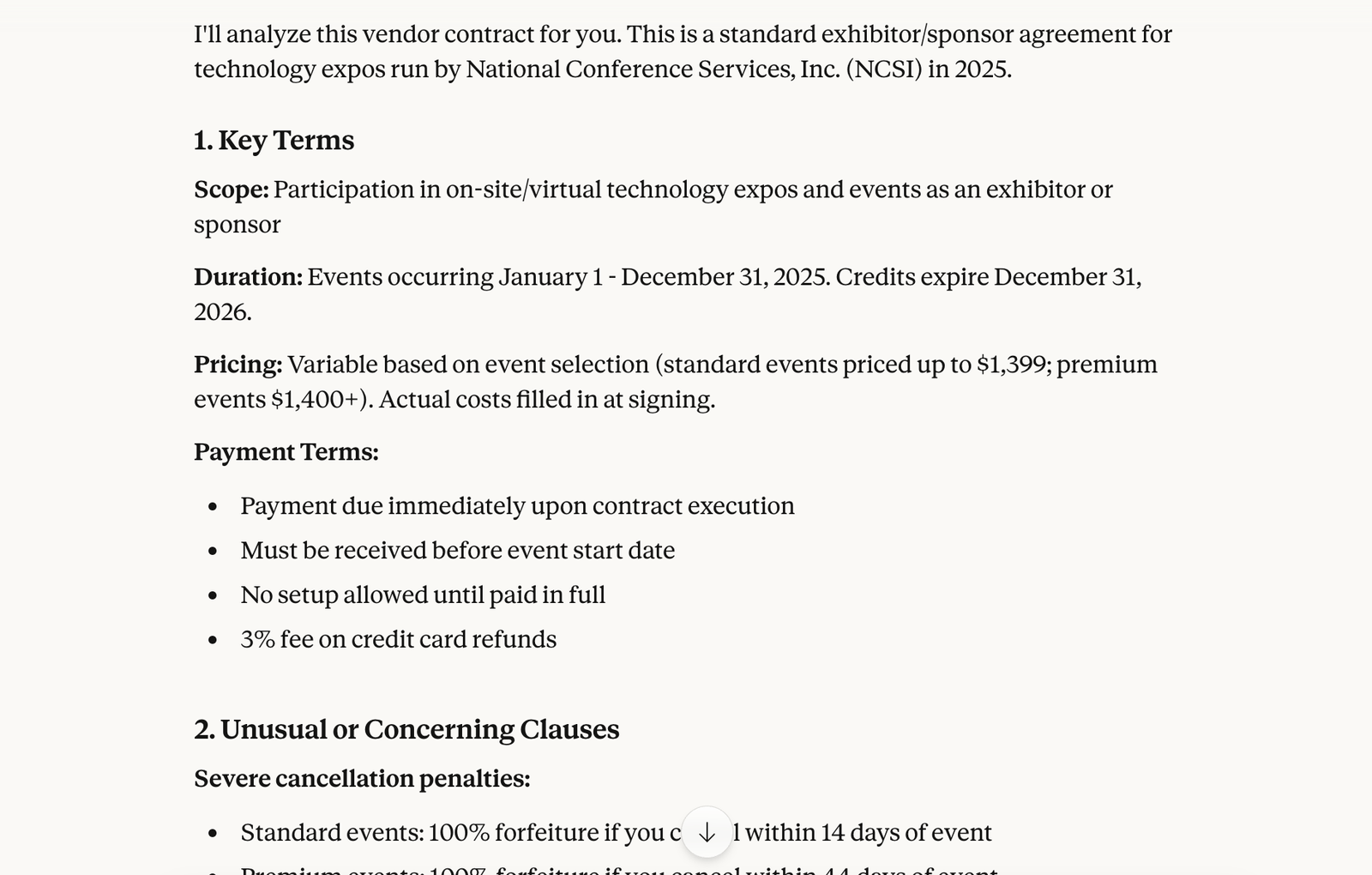
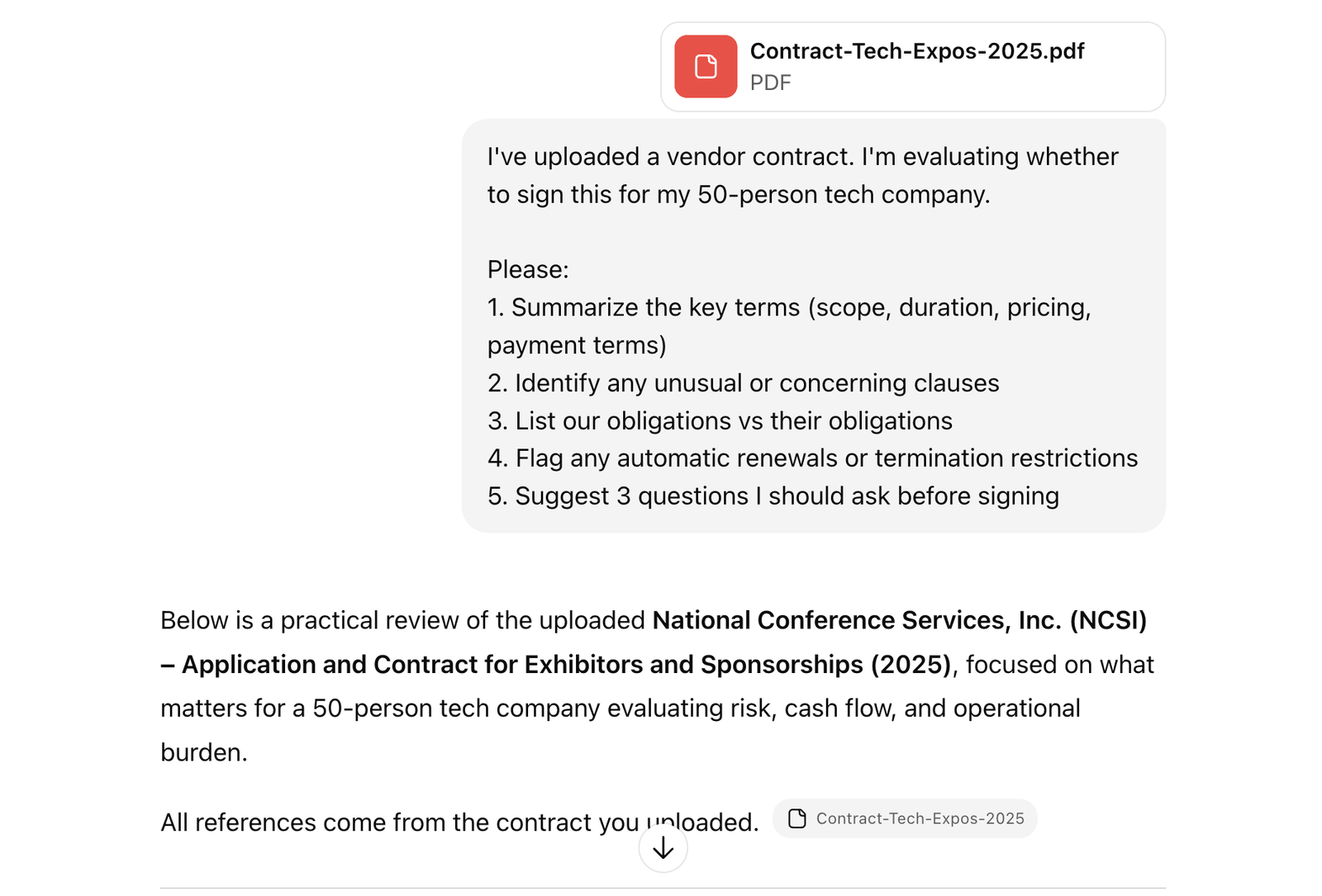
I've uploaded a vendor contract. I'm evaluating whether to sign this for my 50-person tech company.

Please:
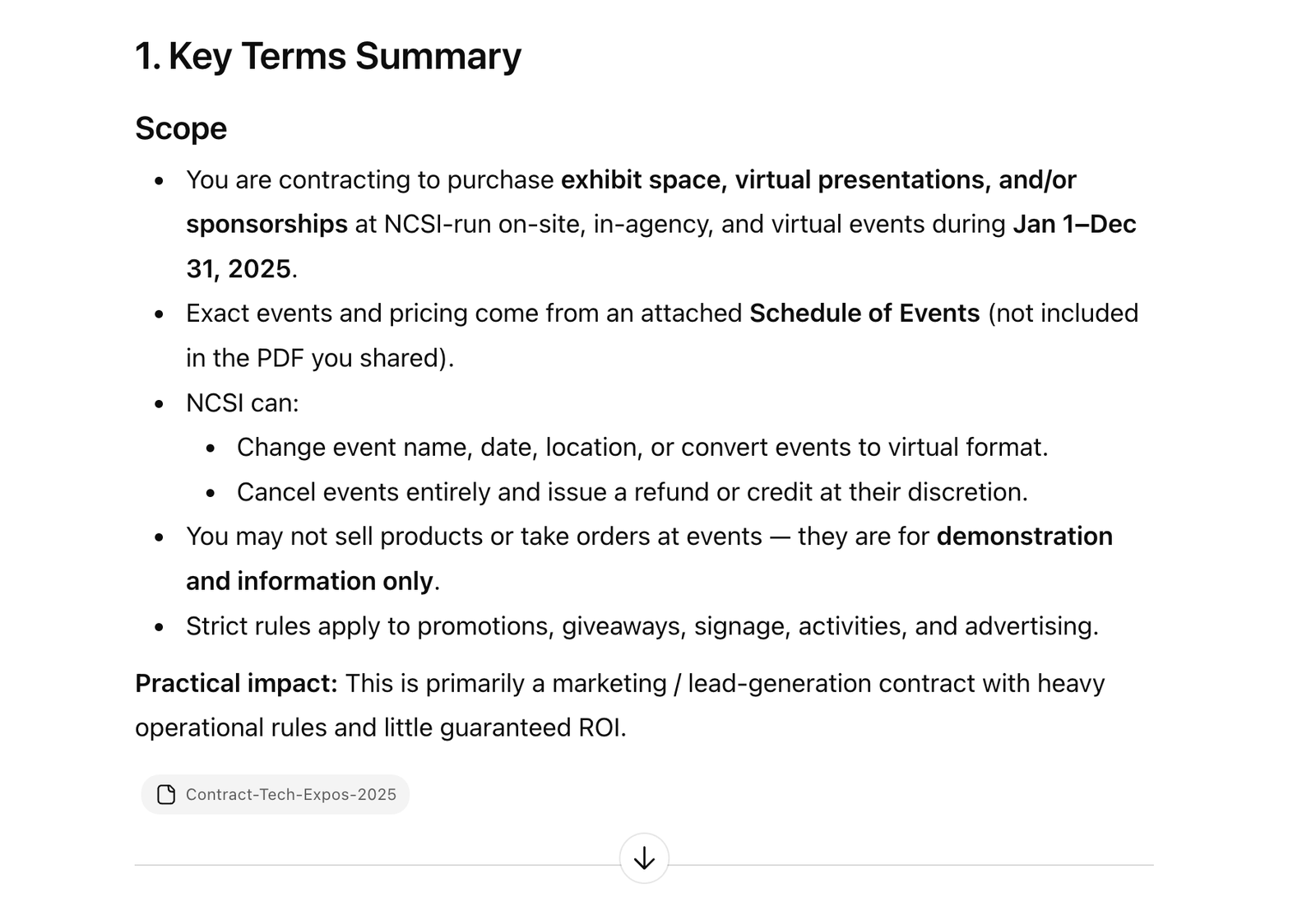
1. Summarize the key terms (scope, duration, pricing, payment terms)
2. Identify any unusual or concerning clauses
3. List our obligations vs their obligations
4. Flag any automatic renewals or termination restrictions
5. Suggest 3 questions I should ask before signing
Claude analysis example:
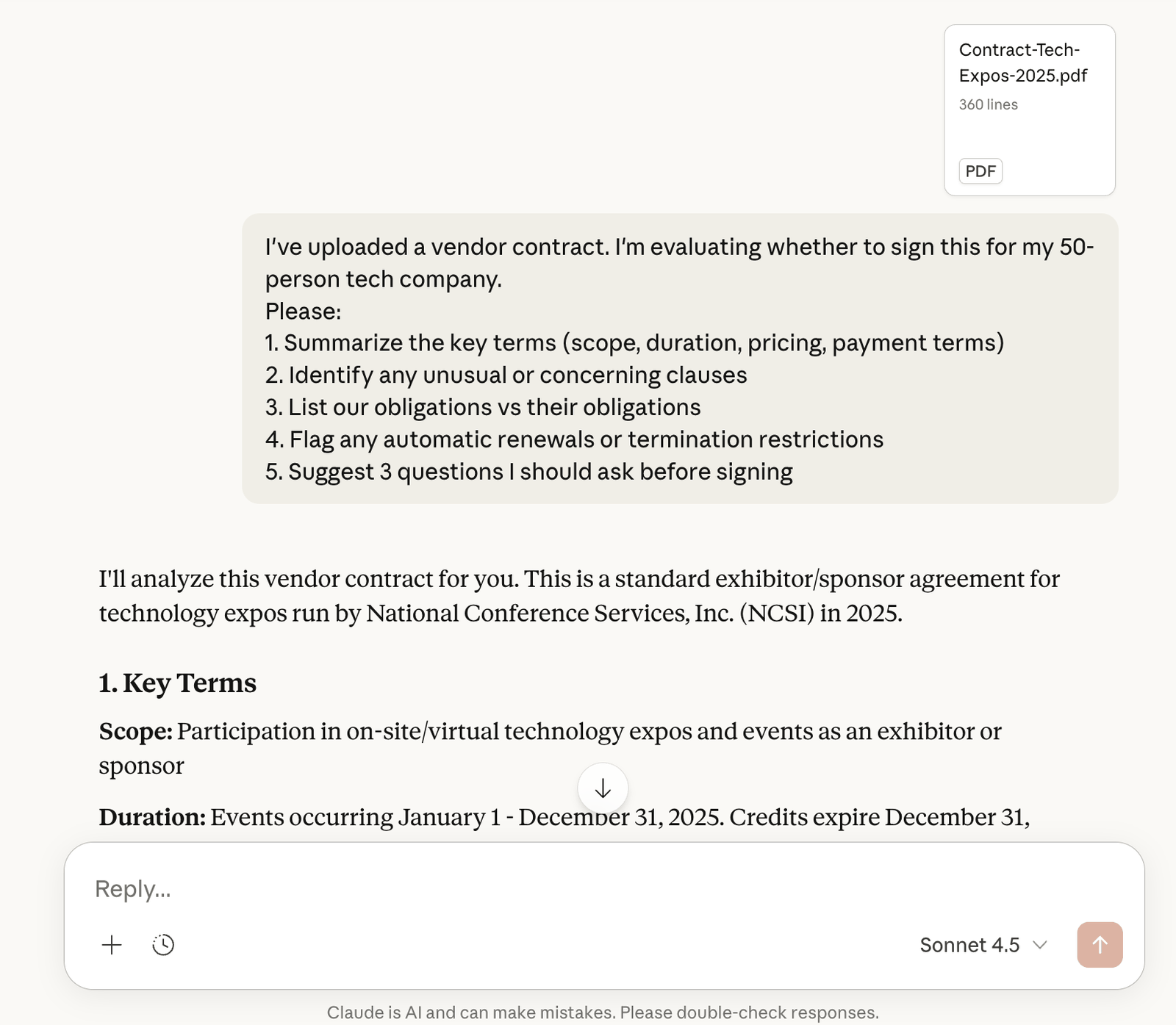
ChatGPT analysis example:
Example: Proposal Comparison
Prompt:
I've uploaded two proposals from different marketing agencies.

Compare them on:
- Scope of services offered
- Pricing and payment structure
- Timeline and deliverables
- Team/expertise they're proposing

Format as a side-by-side comparison table, then give me your assessment of which seems stronger for a B2B SaaS company launching a new product.
Data Analysis
AI is surprisingly good at helping you understand data - finding patterns, explaining trends, and translating numbers into insights.
What Works Well
| Task | How AI Helps |
|---|---|
| Explaining patterns | "Why did sales spike in March?" |
| Generating insights | Finding non-obvious trends in your data |
| Translating for stakeholders | Turn complex data into plain English summaries |
| Suggesting next steps | "What should we investigate further?" |
| Basic calculations | Percentages, comparisons, growth rates |
How to Do It
Step 1: Get your data into Claude
- Option A: Upload a CSV or Excel file
- Option B: Copy-paste data directly from a spreadsheet
- Option C: Describe the data if it's simple enough
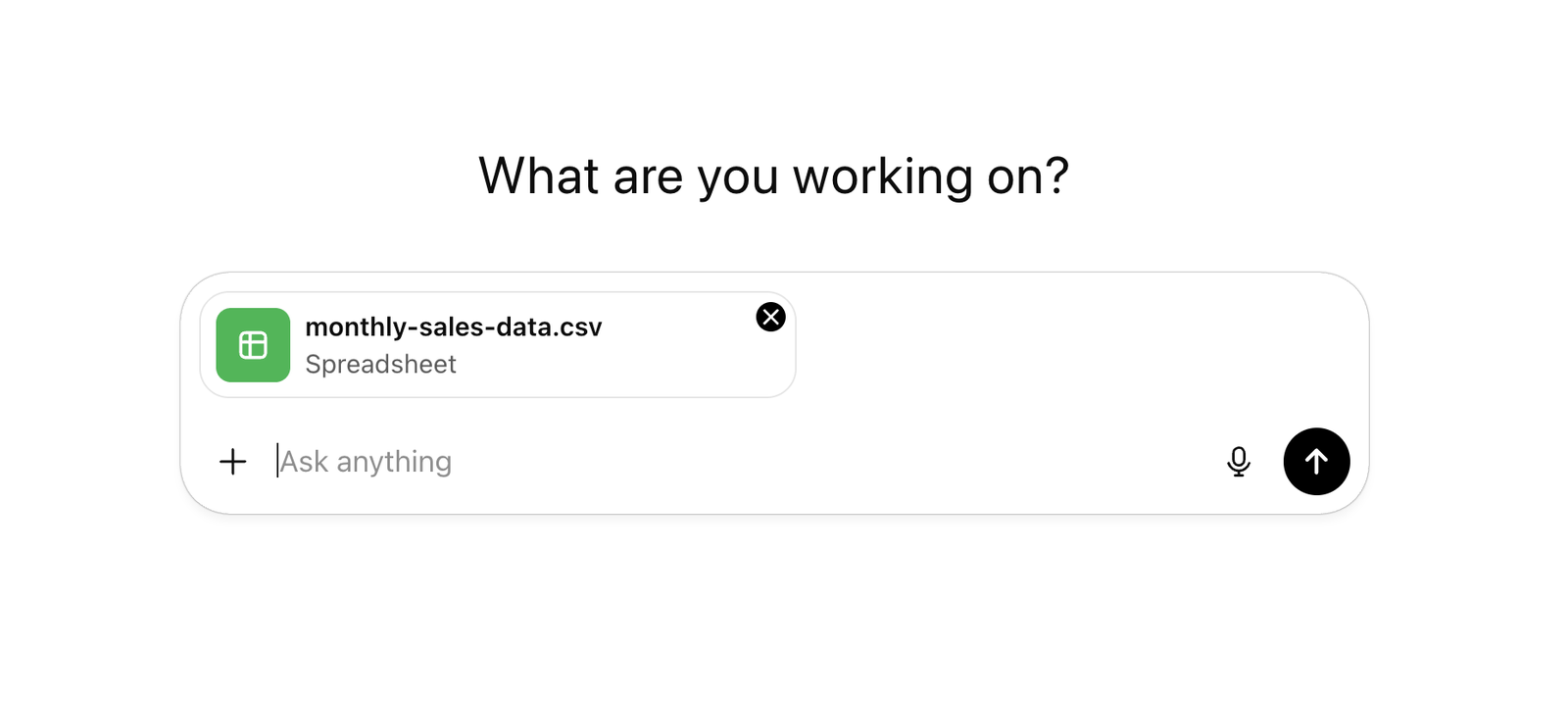
Step 2: Describe what the data represents Don't assume AI knows what the columns mean.
This is monthly sales data for our e-commerce store. Columns are: Month, Revenue, Orders, Average Order Value, Return Rate.
Step 3: Ask specific questions
- "What trends do you see?"
- "Which months were outliers and why might that be?"
- "How would you summarize this for our CEO?"
Example: Sales Data Analysis
Prompt:
I'm pasting our quarterly sales data below. We're a B2B software company selling to mid-market businesses.

[Paste your data here]

Please analyze this data and:
1. Identify the top 3 trends you see
2. Flag any concerning patterns
3. Suggest what we should investigate further
4. Summarize the key story in 2-3 sentences for our board meeting
Example: Survey Results
Prompt:
I've uploaded CSV results from our customer satisfaction survey (500 responses).

Please:
1. Summarize overall satisfaction levels
2. Identify which factors most correlate with high/low satisfaction
3. Find any surprising patterns in the open-ended responses
4. Recommend 3 actionable improvements based on the data
Limitations to Know
AI is helpful but not infallible. Know what can go wrong.
What AI Can Miss
| Limitation | What to Do |
|---|---|
| Nuance in complex documents | Read critical sections yourself |
| Mathematical errors | Verify important calculations |
| Context it doesn't have | Provide background information |
| Recent information | AI has a knowledge cutoff date |
Specific Gotchas
Links in documents - AI can't click links inside uploaded PDFs or documents. However, Claude can search the web and fetch URLs if you ask it to. If a document references something, you can ask Claude to look it up or paste the URL directly.
Very large files - May hit context limits. For huge datasets, work with a sample or the most relevant sections.
Confidential data - Remember privacy considerations from Module 3. Don't upload sensitive data without thinking it through.
When to Verify
Always verify AI's analysis when:
- The stakes are high (financial decisions, legal matters)
- The numbers will be shared externally
- Something feels off or surprising
- You're making decisions based solely on the analysis
Key Takeaways
- Documents: AI excels at summarizing, extracting, and comparing - tell it exactly what matters to you
- Data: Describe your data clearly, ask specific questions, get insights in plain English
- Be specific: "Summarize this" gets generic results; "Summarize the key risks for a Series A startup" gets useful results
- Verify important stuff: AI can miss nuances and make calculation errors
- Privacy first: Don't upload sensitive data without considering the implications
Want to discuss a project like this?
SFLOW helps companies implement practical AI solutions — from custom platforms to industrial integrations with your existing systems.